UnknownShadow200
Administrator
-
Joined
-
Last visited
Everything posted by UnknownShadow200
-
 A port of ClassiCube for Android is now available - with some limitations however: It's only available as an .apk download (Not available in the Google Play Store) The .apk was compiled in debug mode, so it will be slower than normal It's early alpha. It will very likely crash, freeze, perform poorly, etc. Please report these to me so I can work on fixing them. (Also note that the in-game UI of the Android version is almost exactly the same as the UI when you use the web client on android)
 -
Which texture pack URLs are you having issues with? Are you using the latest dev build? Note that I only fixed this bug 4 days ago
-
Please update to the latest dev build in Options -> Updates and see if that fixes it.
-
There isn't a problem with the skins images here - they are definitely .png, and I have checked that they load correctly in-game. I would suggest opening the skin url in your web browser and then see if you're asked to complete a captcha, or see a 'firewall blocked' message, etc.
-
If you run mono --version in Terminal it will tell you exactly which version
-
Which version of mono are you using? Guessing a rather old version if running on 10.6
-
What issues do you have with running normal MCGalaxy?
-
I manually verified your account for you.
-
Note that this game in completely written from scratch, so it doesn't have nor support .jar files
-
This is normal behaviour - some routers do not let you join using your external IP address. While the web client will notice if you are trying to connect to your external IP address and instead connect to 127.0.0.1, the desktop client does not. So you need to use Direct connect instead.
-
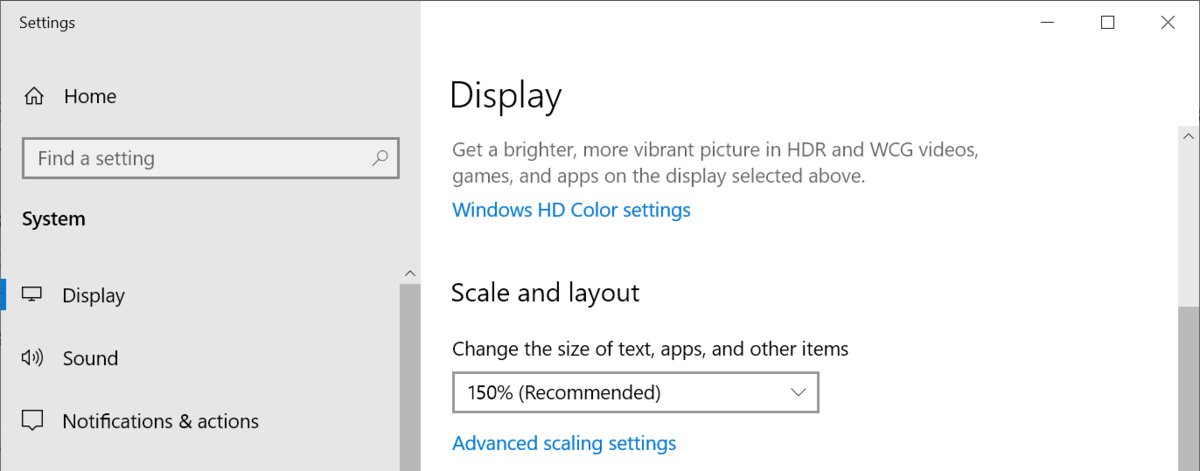
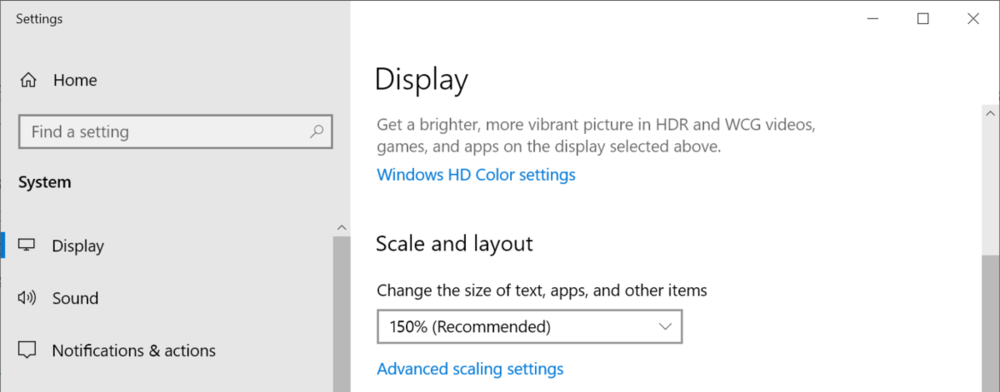
If you have enabled display scaling in operating system settings, that is not supported yet, so the game will just automatically get scaled up and look blurry.
-
Better off having an incomplete life than spending the rest of life working on a pointless port
-
Only zip files with up to 1024 entries are supported, this zip file has 4272 and hence will not load. So you need to delete some of the files in the .zip FYI though, modern minecraft texture packs are quite different from classicube texture packs, so this won't work properly anyways.
-
What is the error number? And can you please upload or link to the texture pack
-
Please don't use buggy years old versions of the source code - use the latest version https://github.com/UnknownShadow200/ClassiCube/archive/master.zip
-
Which part of the instructions is confusing?
-
You're getting automatically kicked from the server because you turned custom blocks off - because of the way this game is written though, sometimes it won't actually show the kick message.
-
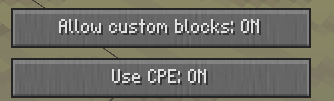
Are 'allow custom blocks' and 'use CPE' both set to on in Nostalgia Options? Both buttons must be ON, otherwise you won't be able to connect to that server as it heavily depends on using custom blocks.
-
Are you using a custom compiled libcurl or something? This error here is usually caused by libcurl being compiled without https support. You can get libcurl to output much more debug information if you add _curl_easy_setopt(curl, CURLOPT_VERBOSE, 1L); in Http_SetCurlOpts at around line 584 in Http.c
-
There isn't really a minimum, but having a slower CPU will mean some CPU intensive actions (sending the map, doing lots of physics updates, doing large draw operations) will take longer. Having little memory means you can't make large maps, and you may only be able to have a few levels loaded into memory at the same time. You just need to install mono framework (ubuntu, apt-get install mono-complete). Then in Terminal, type either mono MCGalaxyCLI.exe (for command line) or mono MCGalaxy.exe (for GUI)
-
Does clicking on Delete button to change mode to Place not work? What happens when you try to edit settings?
-
Some ISPs/routers do not allow connecting to your own external/public IP address. When you join from the server list, the game simply connects to the server's IP address. Hence you cannot connect to your own server, since the server's IP address is the same as your own public IP. When you join from the website, it additionally checks if your IP address is the same as the server's IP address. If it is, then the website automatically configures the game to connect to 127.0.0.1 instead.
-
What issue do you have when you try running a server? Most server software requires .NET 4.0 to be installed, which is available for Windows XP and later.
-
Always has.
-
[game folder]\texpacks for desktop client. Out of luck for web client.