



UnknownShadow200
Administrator
-
Joined
-
Last visited
Everything posted by UnknownShadow200
-
 Can you please take a screenshot of these visual glitches?
 -
If you are using the web client, I broke it accidentally before. If you try again now, it should work
-
The client is written in C. Most server software is written in C#.
-
Well you need to compile it firstly.
-
See https://github.com/UnknownShadow200/MCGalaxy#joining-from-the-desktop-client
-
Did you compile the game firstly?
-
Which graphics card do you have?
-
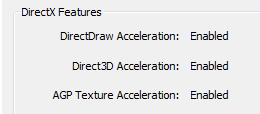
This is almost always caused by lack of working 3D graphics drivers. You can try these steps to check: Open Run Type dxdiag into it Press Enter Go to Display tab Check that 3D acceleration is enabled under DirectX features If it isn't enabled, you'll need to install the appropriate graphics drivers.
-
Unfortunately this is probably an issue your end - I've tested and saving controls/maps still works fine. Nor have I made any recent changes to how stuff is saved. The game uses IndexedDB to store stuff. If it's disabled in your browser settings or blocked for classicube.net, that might be what causes this issue. If it's enabled and not blocked, may have to try opening developer tools: 1) In Console tab, check if there's an error when loading IndexedDB (may have to refresh page) or saving IndexedDB (should happen whenever you change a control) 2) In Application tab, Storage -> IndexedDB -> /classicube -> FILE_DATA, check there are some keys/values there
-
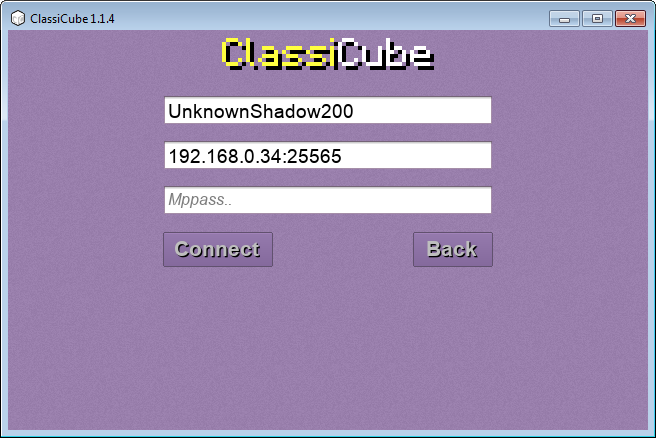
First you need to download and run a server software (such as MCGalaxy) You then need to find the LAN IP address of the computer hosting the server. Type ipconfig into Command Prompt. Look for IPv4 address in the output. Users connecting to the LAN server need to click Direct connect at the main menu instead of signing in. Then a user enters a username into the Usernametextbox and enters LAN IP:Server port into the IP:Port textbox. Mppass can be left blank.
-
Try again now. (I made it fallback to mediump precision if highp precision is unsupported)
-
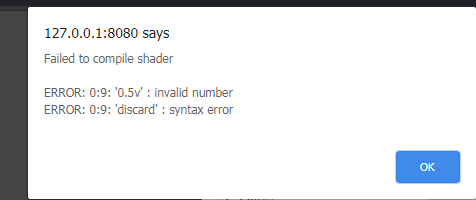
If you try again, it should actually show you the reason why it failed to compile the shader now. If you could please screenshot/copy text of that dialog, I can attempt to fix the problem.
-
What is the exact error message you are seeing?
-
8ball.txtI have attached a very important document


