
redpips2006
Glod Menbie
-
Joined
-
Last visited
-
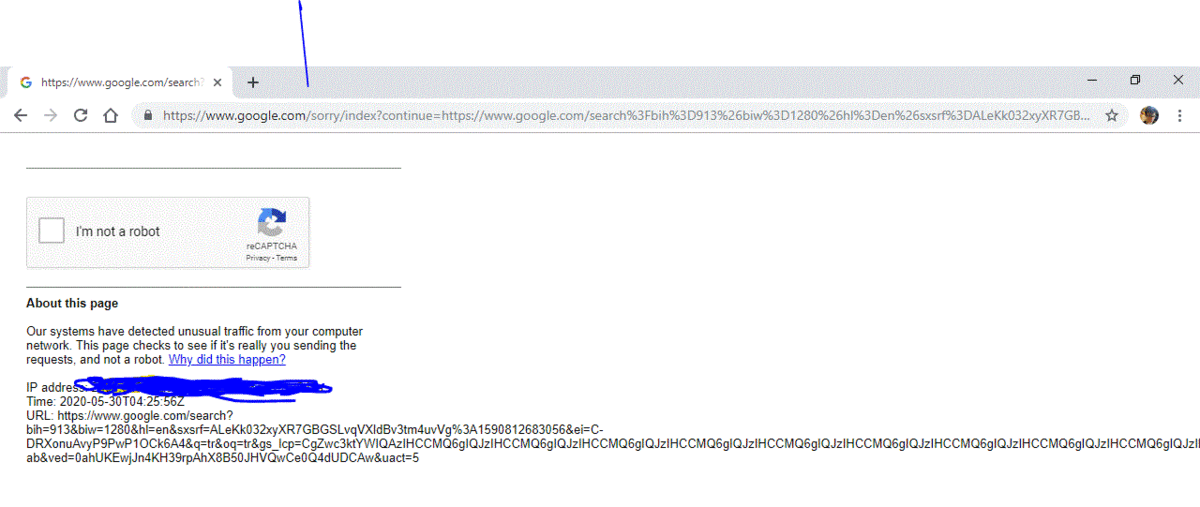
 So I searched something on google on my new Windows 10 machine. Then this came up. Why?
-
Hahahahahahahahahahahahahahaha... Well my new computer just came today so I guess it doesn't matter now.
-
Thanks for the help, everyone!
-
Hello, sorry I have not replied in a while. Been busy. About the bluescreenview.. How do I use that ?? Thank you.
-
Hello. I have an ASUS laptop which a grandfather gave me, new-in-box. It worked fine for about two years when it started displaying "MEDIA TEST FAILURE CHECK CABLE" or whatever it said. So I had to go in to the BIOS and select boot from hard disk. It worked! But things have gone to poopoo now. It just displays a BLACK SCREEN with NO USB POWER!!! Hard drive and fan power up. The disk does its POST or whatever it's called, but that's about it. The screen does not seem to work at all. I have plugged it in to three different televisions (VGA and HDMI capable) all to no avail. I already have backed up what was worth saving (Some of which was just old homework) to several DVDs, so I'm not at a total loss. But I still want my computer back. I am 14 and have never taken apart a laptop so I need assistance. My guess is failed MOBO (Motherboard?) but we don't know for sure. CAPS LOCK and NUM LOCK do nothing. Cannot access BIOS. Insertion of repair CD does nothing. What do I do now????? Thanks for your time. Liam
-
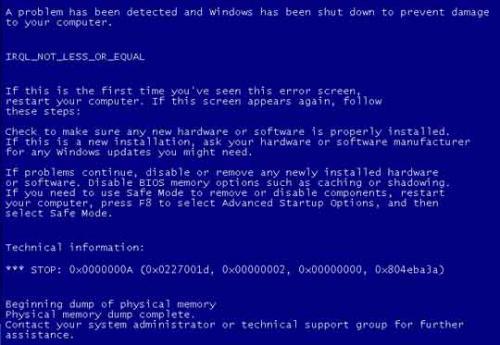
Hello man. The computer still starts up just fine. I do not remember the exact stop code, the image provided is just a stock image ;( no external usb device connected.
-
So I was on the desktop. Haven't installed anything lately. Suddenly, a blue screen of death came up with the aforementioned message. It started to "Dump physical memory to disk". It completed, the hard drive shut down by itself with the computer still on, but the hard drive didn't sound too happy when spinning down. It just sat there on the blue screen, asking me to "Contact blah blah blah blah for further technical assistance" or something like that. What does this mean? And please don't ban me if I did not post in the right place... There is no where else for me to post this.
-
I want to hook up multiple computers via system link with Ethernet cord and play LAN on a creative world. Can we do that? Thanks. Computers: HP with Windows XP E-machines with Windows Vista HP laptop with Windows 10
-
redpips2006 changed their profile photo
-
Hello I would like to download MODS for this game like survival mode, mobs, and new blocks. Where do I find mods for Classicube PC? And how do i apply them? Thank you very much for any of your time.
-
I want to upload a world as a server so anyone can join and build in it. I am working on a modern city and would like some helping hands. First post here and am a certified noob so please be patient. Thank you for any help.