
aleksb385
Glod Menbie
-
Joined
-
Last visited
Everything posted by aleksb385
-
 Thank you for making this possible Unk, I've noticed your efforts in making the Android build playable recently on the irc. I really wished I could play CC on my phone back in 2017-18, and now we have an actual official client. Even though I mostly use an iPhone now, this is still an achievement, so congratulations and thanks once again. <3
 -
Honestly I don't think it's a bad move unless they are changing Java (which they probably will, and I don't know how muting/blocking certain players could work together with server chat plugins). The cape is practically meaningless since everyone will get it though, but it is a nice thing. I just hope my MS account doesn't get terminated (which might result in me losing access to Java).
-
Yes. Another helpful guide
-
Get a life. It has more meaning than ruining random people's day on a dead block game.
-
perhaps you could start off by telling us your router's model, or just looking it up on the internet or https://portforward.com
-
it asked for emails because it's virus
-
Create your own in GIMP, Photoshop, Paint.NET or similar. You can make it up to 512x. Alternatively, you could search "minecraft skins" and steal the first skin you come across.
-
You can look at /cm list or just ask someone.
-
-
-
another way of doing this is by going to text/rules.txt in the server directory
-
You can follow this guide here, and please don't bump irrelevant threads.
-
In MCGalaxy, you can use the /ccols command. You can do /help ccols for more info.
-
Could you please translate this "tutorial" to English?
No, Andrew really can't delete your account either. As for the forum data, I already told you, just delete the posts yourself if that's possible.
Deleting your account is not possible (no exceptions, it just isn't), however I'm pretty sure you can delete your forum posts manually.
If you don't know what whitelist is and how to set it up, you probably shouldn't host a server. (Sorry for bump)
Interesting... I've made several instances of this, however they would always have extra blocks or something, and I've never really released them.
What is your device's model and resolution? When I open the server page in fullscreen, the buttons are awfully claustrophobic. SM-G950F, Firefox Fenix, Android 9, 2220x1080
Even if we most of us have the ClassiCube client, sharing them as a .cw file only might be a bit inconvenient. What I'd suggest is posting an image alongside with a .cw file to the world. What I'd also suggest is that you create a megathread for all your builds instead of making separate threads, but you probably should do neither if the builds are low-effort.
Here's a useful guide for setting up an MCGalaxy server on the old forums. https://www.classicube.net/forum/viewpost/8196-bmcgalaxy_server_creation_guide/
:o a tempban evader telling others to follow the rules?
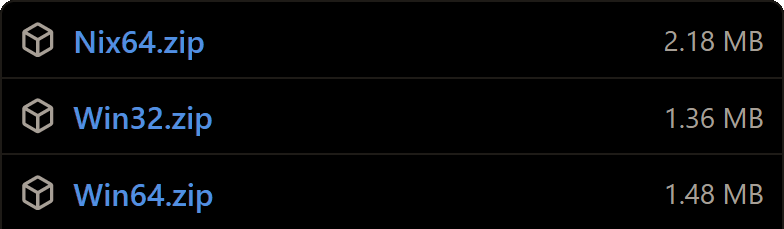
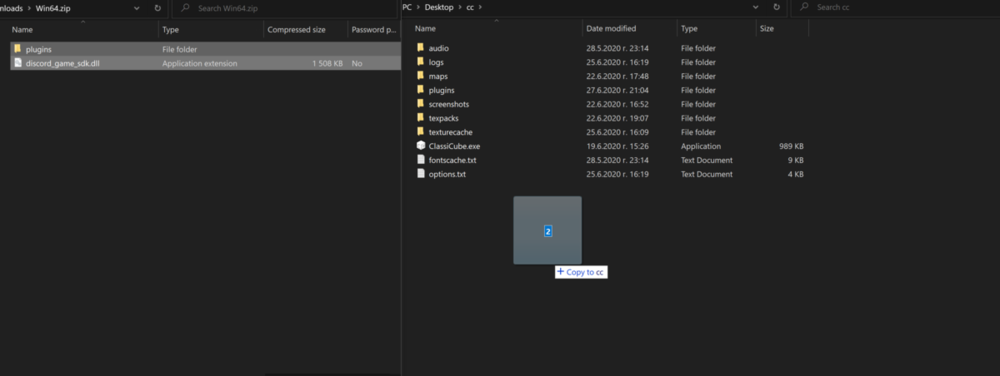
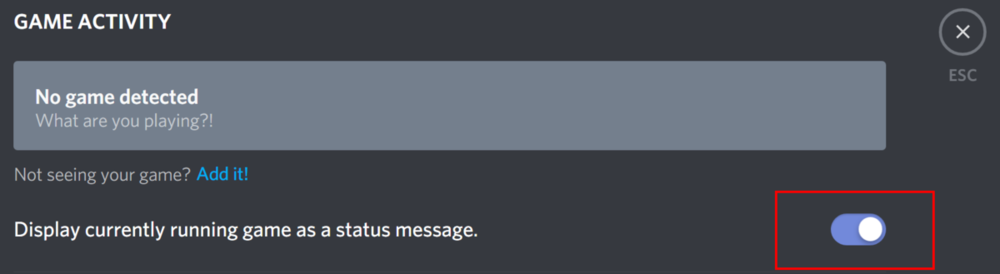
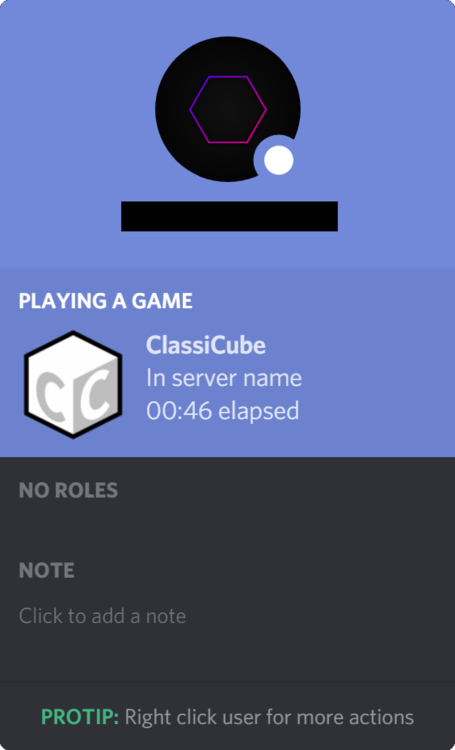
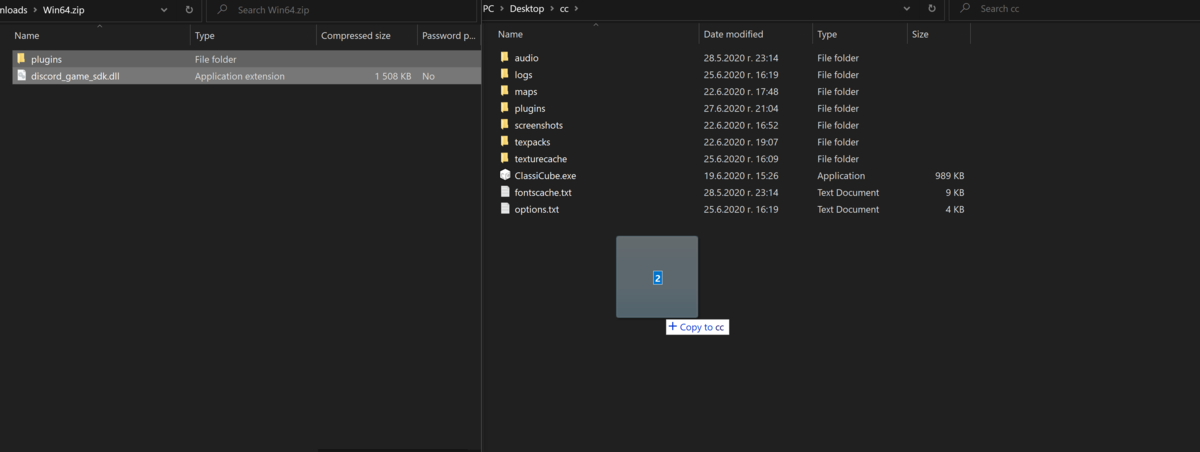
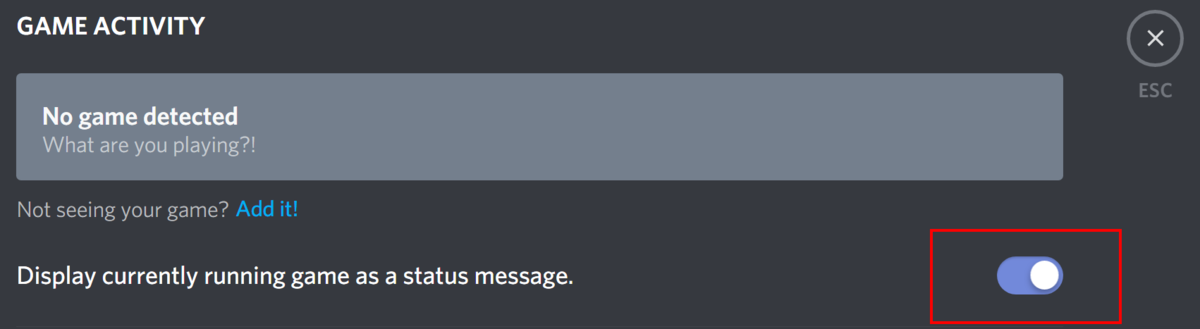
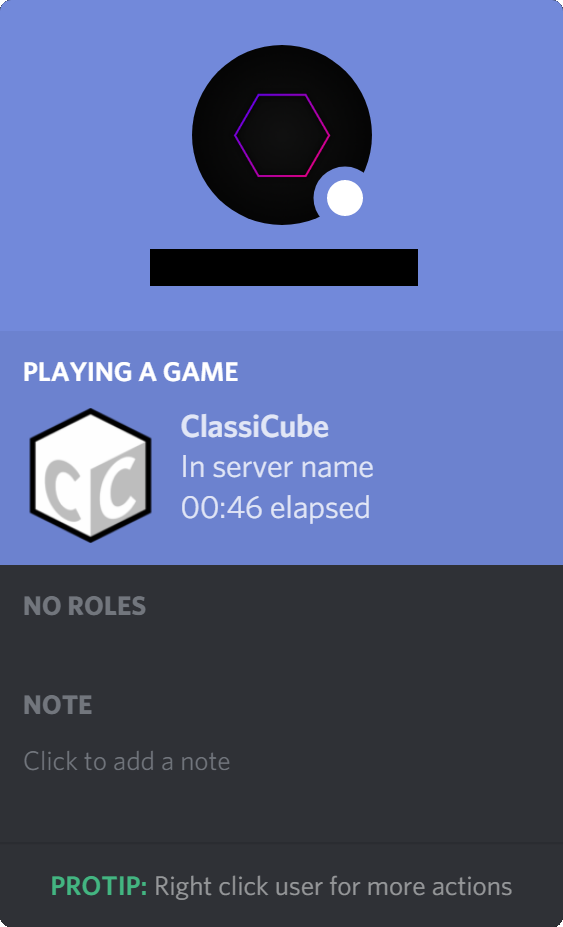
Have you ever wanted to get Discord Rich presence for ClassiCube? Well say no more! A fellow user has created an amazing plugin that's going to make it possible. prerequisites - a working internet connection (duh) - something like WinRAR, 7zip or whatever your OS comes with - a discord account and a classicube client - basic knowledge of how to navigate through your OS and the github website step one Find the plugin download for your OS here! If you can't be bothered to open the page, just click one of the following options to download it for your system: Linux, 64-bit Windows, 32-bit Windows, 64-bit to see if your system is 32-bit or 64-bit, do /client gpu in ClassiCube step two Once the file has finished downloading, open it and drag its contents into your ClassiCube folder. If you get a prompt saying that the folder 'plugins' already exists, just click on the merge option. step three Open Discord, hold down Ctrl and press , (the comma key). The settings should open. Navigate to "Game Activity" on the left side and click it. Make sure that the following switch is turned on. Once you're sure it's on, press Escape and move on to the next step step four Launch the game and join a server! If everything went well, then you should be able to join any server and have it show up in your status. If so, then congratulations, you've completed the tutorial and you now have Discord Rich Presence for ClassiCube servers! Here's how it should look like: This is my first tutorial, so please don't be too harsh. I hope I explained everything well, and I hope that at least one person learned something from it. If that's the case, then I'd be glad for helping out. Have a nice day! 🙂