



icanttellyou
Glod Menbie
-
Joined
-
Last visited
Everything posted by icanttellyou
-
 You can't delete accounts, just forget the password for that account or you just forget about that account in the first place.
 -
No one is willing to make you a server. Use eddynet when they fix registrations.
-
I kept looking for this entity on my favorite server which is the DN server. I just can't find it.
-
I think it came from an old ClassiCube server called Classic Revived. Not so sure where he got it from, file timestamps say it's from late-2016.
-
Sure, here it is. https://mega.nz/file/gTJmETII#7Y17Bs7NWE2kyFGXv1XK2rlJb3WXsL5W7UdR57HI2u4
-
If you are trying to make a texture pack, please make sure you add every single texture you have modified or made to a zip file.
-
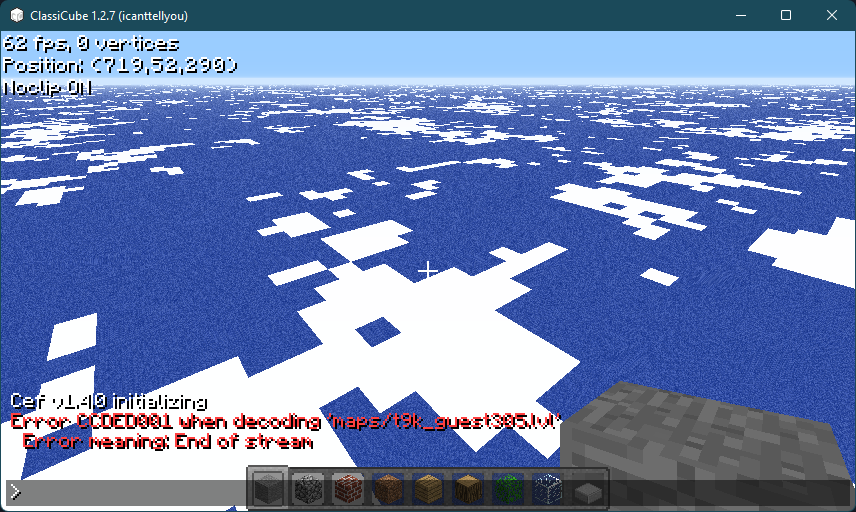
I actually have the same map he's trying to load. And yes, it does fail to load.
-
.lvl maps are NOT supposed to be opened using the ClassiCube client, .cw is what ClassiCube uses, you have to use server software like MCGalaxy.
-
As you are using a Mac you might not have Mono installed. Mono is required for MCGalaxy to work.
-
Was quite fun, but a bit buggy. Also not many were interested in spleef, or maybe they didn't want to play ClassiCube on a Sunday.
-
Android support was removed in later versions of Windows 10 Mobile or hell even Windows Phone, although the efforts for Android support have lead to WSL 1, but Windows 11 will have Android app support, but it's too late. Windows 10 Mobile is dead.
-
There are NO 3rd party web browsers for Windows 10 Mobile. The last version of Windows 10 Mobile is from 2017.
-
If I'm correct, old versions of Edge do not support WebAssembly. Also Windows 10 Mobile hasn't received updates for years, not sure if Edge was updated.
-
Very cool, the peak amount of players was in the 60's, didn't beat NB:ZS tho. Having fun rn.
-
Ok, you win. Lock the thread.
-
You reacted with asshole on my posts and said that the person WHO GAVE AN ANSWER THAT DOES NOT APPLY TO YOUR PROBLEM winner reaction means you are biased. Also you are causing drama lol.
-
Well you are too lazy to format the awards correctly, also I was doing a little trolling.
-
No, I fixed it. You did improper formatting.
-
Invalid packet 66 either means the server is sending incompatible, unsupported or non-standard CPE features that your client might not support. For port forwarding you need to open up cmd and type in ipconfig and get the IP for the default gateway, type that in the web browser and try using admin as username and admin as the password, if it fails your admin password might be on the back of the router. After doing that go to the section where ports can be opened and then open up port 25565
-
Just stop playing on that account if you want to delete it.
-
You can write plugins in C# or Visual Basic (since 1.9.3.0).
-
Note, discord-irc requires Node.js 12 or newer. If your distribution or operating system does not support or ship with Node.js 12+ you have to install it from the Node.js official repos.
-
I would code.
-
How are data protection laws in the EU preventing release of some stupid thing I don't care about.
-
You can just edit the post to remove the IP...





