icanttellyou
Glod Menbie
-
Joined
-
Last visited
Everything posted by icanttellyou
-
 Do you live in a data-center? I'm just joking. You are probably using a remote computer if you don't use any VPN's or proxies.
 -
Well someone has made a non exclusive version of /reward, and you can get it here: https://github.com/derekdinan/ClassiCube-Stuff/blob/master/MCGalaxy/Commands/CmdReward.cs
-
This is an issue that can happen on the mobile version of the game, I'm not sure about iOS but it happens on the native Android version.
-
Use rocket_head and rocket_start blocks using /rocket_head and /rocket_start, you need physics enabled for it to work.
-
You can click on the arrow buttons on each part you want to change.
-
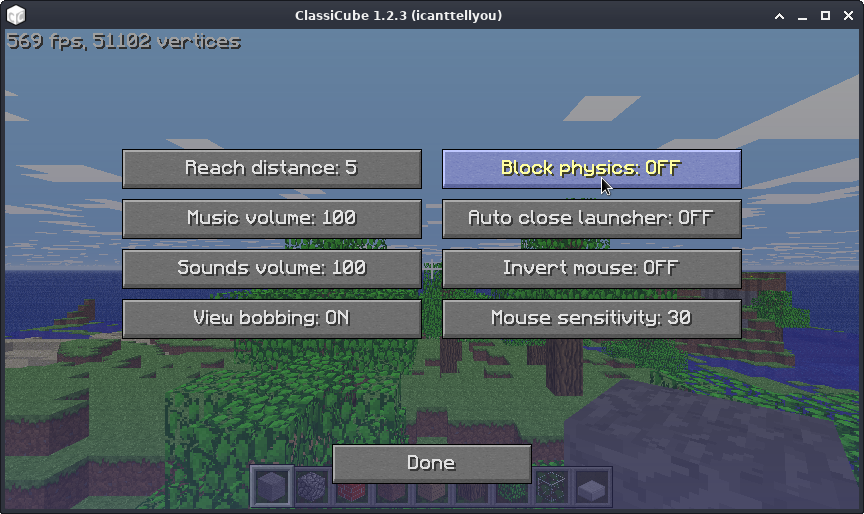
It's in Misc Settings.
-
If you ware an admin you could use /physics 5 or use Op_Air, or you use still variants.
-
https://github.com/NotAwesome2/MCGalaxy-CustomModels/wiki This page tells you how to use this plugin.
-
https://github.com/NotAwesome2/MCGalaxy-CustomModels Use this plugin to add custom model support to your server.
-
You use /lb copyall *name of level* and then you specify the textures from the level using /mi env and to apply them use /texture level *url to texture pack*.
-
-
You use the following command: /MB *preffered block* /zs go
-
If you are a server owner you can put your files into /extra/import/ folder and use /import to import your local worlds.
-
-
-
-
-
You use these commands: /lb add /gb add And for your overseer world you use /os lb add
-
You need to specify the heartbeat arguments, also the heartbeat is where you send a request to list your server on the server list.
-
Why you can not install the Linux compatibility layer and install Mono onto it?
-
You use tools like paint.net, gimp, Photoshop or any image editing tool that can be precise with pixels. And you need to know pixelart if you want to make your own textures.
-
C#
-
To change the main level you use the following command : /main [level name]
-
Why can't you download it, and what operating system are you using?
-
My main computer specs I guess? Processor: Intel Core i5-2300 RAM: 8GB DDR3 1333Mhz Graphics card: Nvidia Geforce GTX 750 Ti HDD: 240gb 5400rpm HDD and a 500gb 5400rpm HDD, yep it's slow as you think Monitor: It's at least 1080p