
Goodly
Moderator
-
Joined
-
Last visited
Everything posted by Goodly
-
 Join the level, with WoM client, then dump the level with the button on the top left. It will appear as a .dat in the WoM directory.
 -
MCGalaxy is multiplayer servers. You cannot make doors in singleplayer.
-
There are no doors in singleplayer. /door only works in MCGalaxy (or MCLawl-based) servers.
-
Aha, you got an error? that means something went wrong.
-
They are using Not Awesome Survival or a modified plugin based on it.
-
It's based on the free version that used to be available as a java applet at https://web.archive.org/web/20130928045438/http://minecraft.net/classic/list. This version was 0.30 set to "creative" mode, which had survival features disabled and infinite blocks. It's called c0.30-c in the Betacraft launcher.
-
Try doing basic things like reading and browsing the site after logging in
-
https://github.com/UnknownShadow200/ClassiCube/blob/master/doc/hosting-webclient.md
-
Surely you can provide mode details than this
-
This person (usually known as "Pockie") is an old player and she was pretty much just trolling here. I also recommend a mute
-
it is simply tomfoolery
-
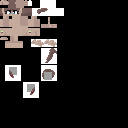
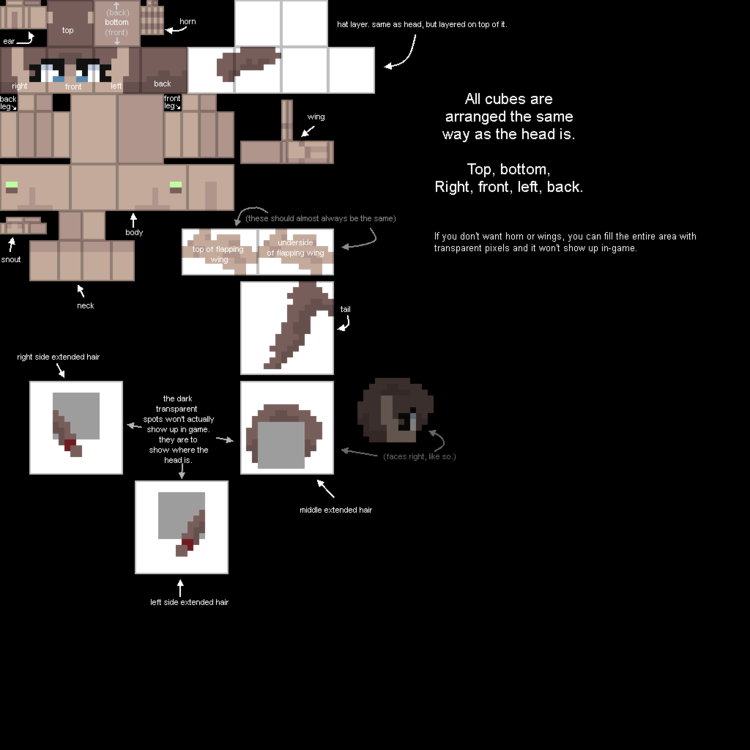
You're correct, you need to make or find a skin for the pony model for it to work correctly. Here is a template and a higher resolution labelled parts template. You can visit "ponyskins" map (/goto ponyskins) in Not Awesome 2 for more skin examples/templates.
-
The main developer is not really interested in adding new features and the rest of us are usually too unskilled/lazy/busy to do so. But new features are added from time to time, and the open source nature of the game means more could still be added if someone is willing to create them and they pass review.
-
Alternatively, use /brush random stone wood leaves dirt etc Then proceed to build normally with /z Beware: /abort will reset your current brush.
-
My character's antlers are not very large:
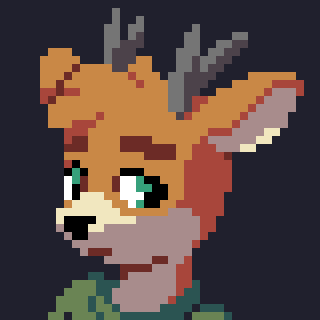
-
-
Make sure physics is set to 5. Either /os map physics 5, or /physics 5
-
Clearing a few things up. Survival test was not "removed." It was never implemented to begin with, as ClassiCube is written from scratch and not a mod of the original java applet. Cyan: Not Awesome Survival plugin isn't what Miguel is talking about here. They're talking about the inaccessible features that were within the original java 0.30 classic client code. And yes, that does mean that it really wasn't "on the original Minecraft Classic to begin with," since it wasn't usable at all.
-
"/botset [botname] kill" will make the bot to kill people if they touch it. You can also use "/botset [botname] hunt" to make the bot move towards the closest player. You can find a complete overview of bot commands here.
-
Looks like you've got a perfectly functioning account right here already if you're able to post in the forums.
-
1. Surround the door with a substitute block such as glass. 2. /replace glass air_switch Now if you touch the air_switch blocks, it will trigger adjacent doors automatically.
-
You need to add it to your skin.
-
1. /renamelvl main 2b2t_lobby 2. /rank RAIN3056+ superop (+ 👀 )
-
Note: this user has not produced any maps that have been used as mains in NA2.
-