ClassiCool
Glod Menbie
-
Joined
-
Last visited
Everything posted by ClassiCool
-

-
-
-
-
-
-
I think only Youtubers with a sensible enough audience can do this. If ClassiCube attracts too large of an audience, servers would be blocked up.
-
I guess what you can do is get the sheep texture from default.zip and edit that.
-
It's not ClassiCube. It's just your eyes tricking you.
-
wow. 10/10 content. yes, i am being sarcastic.
-
I actually don't like the textures you're using. Why do people use them so much?
-
Ok. That kind of helped. Thank you.
-
another sick kickflip: double click on an image to change stuff like alignment, the url and it's alternative text if it doesn't load!
-
That's right. Have you heard of classi.cool.domain? In this server, I provide: Many custom blocks (327 to be exact) Freebuild, with and without custom blocks Pixel art Sandbox, to create contraptions in (VIP+ only!) 2 Zombie Survival maps 2 Lava Survival maps (1 Tsunami map) A /main alias, /hub, because I prefer /hub 3 Parkour levels Rank up by performing good deeds Different rank requirements for different commands Join in right now, by finding the name of the server in the server browser. Looking forward to see you there!


-
XD dumb again! Someone using cef joined. They were on 1.1.9 though.
-
Why can you not create one? If it's the fact that the port doesn't work, find out what your IP's port is and type that in. It worked for me and now 25565 works. If you just give up, try contacting eddynetweb. If he does not respond, just find out a different way to contact him. If that doesn't work... Sorry but I can't resize the image.
-
But you can create levels with bigger volumes. If you're playing Enhanced, you can change the sizes to whatever you want, from 1 to about 16,000.
-
Yet another post about Sico Lounge; I only seem to be able to get people who are using the web client to join. However, as far as my knowledge goes, I am the only one who can join from the downloadable client, just from direct connect. How do I let people not using the web client join my server? MCGalaxy 1.9.2.7 Port: 25565 (Not sure if I forwarded it)
-
Also, I've answered the second question myself: mp3s don't work. I haven't tried Dropbox ones though. And my new question is: can I use .mp4s from my Dropbox?
-
Error loading plugin. See error logs for more information. ------------------------- ----01/12/2020 19:39:54 ---- Type: BadImageFormatException Source: mscorlib Message: Could not load file or assembly '5102592 bytes loaded from MCGalaxy_, Version=1.9.2.7, Culture=neutral, PublicKeyToken=null' or one of its dependencies. An attempt was made to load a program with an incorrect format. Target: nLoadImage Trace: at System.Reflection.RuntimeAssembly.nLoadImage(Byte[] rawAssembly, Byte[] rawSymbolStore, Evidence evidence, StackCrawlMarkstackMark, Boolean fIntrospection, Boolean fSkipIntegrityCheck, SecurityContextSource securityContextSource) at System.Reflection.Assembly.Load(Byte[] rawAssembly, Byte[] rawSymbolStore) at MCGalaxy.Scripting.IScripting.LoadAssembly(String path) at MCGalaxy.Plugin.Load(String path, Boolean startup) Type: BadImageFormatException Source: Message: Bad IL format. Trace: ------------------------- I'm using the Windows x86_64 version Case closed. I was dumb. 😐 Turns out it works without a plugin.
-
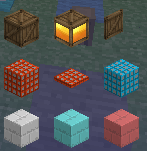
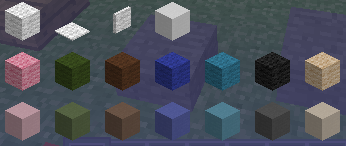
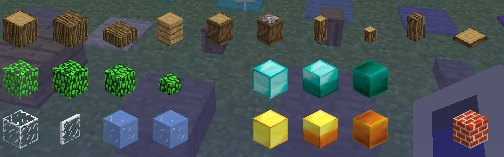
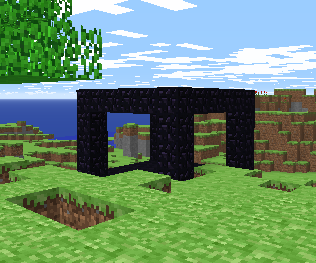
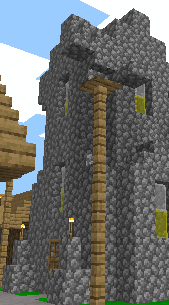
Since I am not getting a lot of new faces, I'm advertising my server here. ClassiCool Central is a new server that I made! (After MCGalaxy slap my butt a million times) Custom Blocks! Zombie Survival and Lava Survival! (WIP) ls_classic zs_sico_mode zs_village And more to come! Please speak to ClassiCool, an admin or moderator to host any of these games. Small but sweet community! (Sorry... run out of space for images) SpookySkelly+ improved main and he got promoted to a member! Some of my helpers: nobody_is_here, Helltark, SpicyCombo & HYPNOTOAD I need you! Please come over and shape ClassiCool Central to your liking! http://www.classicube.net/server/play/f5dc4208ff86c46024331d5b54edaacf

-
Can you send me the texture pack file so that I can have a closer inspection? BTW, I am not an expert on the Android alpha, so I'm not sure if it has texture pack support. Probably not though.
-
Hello! Another thing about my server, Sico Lounge. In NA2, I am able to put down a message block saying "Map Theme (youtube url)" and it will play that video. However, it doesn't seem to work in Sico Lounge. Is it a plugin or am I just being dumb? Also, another question here: are .wav and .mp3 files uploaded on Dropbox compatible with this feature? Because I do not want to upload 1 gigabyte of Terraria music for nothing because I assume that all of the videos online do not loop like the original files. Edit: MCGalaxy 1.9.2.7 for those who didn't know from the last post I did on this thread
-
The web version has no support for texture packs at all. What you have to do is, if you are playing on a server and you have personal realms, type in /os map texture (url). However, this texture pack will appear only in that realm and it will be seen to others.
-
For PC: Press F5 For Mobile: Press the three dots at the top, press controls (I think), press on-screen controls (I think), go to the second page, press "3rd person" and keep pressing "done" until you're back in game, where you can press the "Camera" button to go to first person. For Chromebook: Press ESC, then Options..., then Controls, head to the second page and change "Third Person" from F5 to whatever key you want. Go back to the game and press that key.