




stein38302
Glod Menbie
-
Joined
-
Last visited
Everything posted by stein38302
-
 What do I do if it says File not found?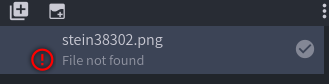
-
How can I put my current skin in block bench skins making so I can custom it?
-
Everyone go to police_1234+ in Not Awesome 2 Police_1234 and Azrielle_2021 are having the wedding It going on right now! Hope you can come (btw Police_1234 told me to post this)
-
Do you know someone who may know the email password? If so ask them
-
Nice Family Picture 😄
-
Btw Other player can see it
-
The /skin +(Name) is not working this is what it tells me when i do it Then is gives me a link what do I do?
-
Here are a Few Minecraft memes I found I Hope you like them 😄
-
-
I am here I will be on for another hour
-
Ok I will check in in a hour
-
I will help just tell me a time
-
-
-
Thanks
-
Thanks this was helpful for when I make a server 😄
-
I know i am asking for a lot, but can someone make a server that i can help make cause i can't make a server? If you wanna do it with me Just message me
-
Yes This is Great!!!
-
I fixed it 🙂
-
Ok Thanks When I try to make it it says Created a new level custom block Wood2(160) And then it invisible what do i do??
-
Can someone give me steps for the /os lb? On Watats btw is there a way to get all of them fast? please and thanks
-
Ok Thanks Thanks
-
What is a JPEG skin??
-
What do I do?
-






