Jump to content
View in the app

A better way to browse. Learn more.

ClassiCube Forum

A full-screen app on your home screen with push notifications, badges and more.

To install this app on iOS and iPadOS
  1. Tap the Share icon in Safari
  2. Scroll the menu and tap Add to Home Screen.
  3. Tap Add in the top-right corner.
To install this app on Android
  1. Tap the 3-dot menu (⋮) in the top-right corner of the browser.
  2. Tap Add to Home screen or Install app.
  3. Confirm by tapping Install.

Flux3on

Glod Menbie
  • Joined

  • Last visited

  1. I honestly don't see the point in playing mc classic when you can just use the original classic textures on a cc map and play it on cc to give an experience that's basically just as authentic, and will run faster bc it's written in C instead of Java
  2. wow this is incredible I've never seen anything quite like it 😩
  3. good job you are so brave 😔
  4. Flux3on changed their profile photo
  5. geometry dash is NOT a rhythm game, it's a platformer
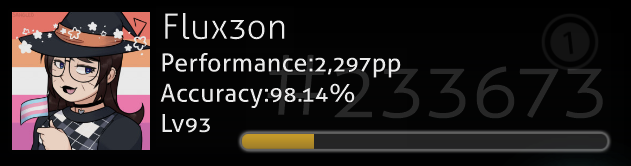
  6. I play pretty much exclusively osu! and that's pretty much everything that is on my YT channel so yeah I also make beatmaps for it which is incredibly fun 😄 This is my profile UwU (You can click the image to see my profile on the osu! website)
Configure browser push notifications

Chrome (Android)
  1. Tap the lock icon next to the address bar.
  2. Tap Permissions → Notifications.
  3. Adjust your preference.
Chrome (Desktop)
  1. Click the padlock icon in the address bar.
  2. Select Site settings.
  3. Find Notifications and adjust your preference.