
123DontMessWitMe
Administrator
-
Joined
-
Last visited
Everything posted by 123DontMessWitMe
-
 A fix is in the works, you will need to play with the downloaded client or another browser for now.
 -
1. Illegal 2. Few reasons not to -Classic did not have menu click sounds -Would need to acquire royalty-free sounds
-
First of all, you can't just drag and drop a texture pack and expect it to work. Only packs for Java Edition Infdev 20100618 and older may have a slight chance of working. Secondly, I tried loading both versions of FaithfulPBR_256 and the only issue I saw was an error message in chat. When it crashes for you, are you getting a popup error message window at all?
-
It's a continuation of sorts with a lot more added features, but can still be used as close to the original as possible. I put ProBuild into 'museum' mode a little bit before the 10th anniversary and put it into private mode around the 10th anniversary.
You already have a thread for your Mario 64 Texturepack, you should have just posted this there.
That "ERR_TOO_MANY_REDIRECTS" is cased by your browser trying to blanket upgrade the HTTP URL into HTTPS and the website trying to downgrade it back to HTTP because that is what the web client requires. Unfortunately, there are no proper fully working workarounds that we know of at this time, so you will need to try with a different browser, if possible, or use a device that you can use the downloadable client on.
The entire Gen-Z population.
Sorry, this is the mainland of West Taiwan, you have no rights here.
Yes No the socks suck -john
That has long since been removed. There is no, nor will ever be, an official survival mode in the ClassiCube client.
Sorry, but accounts cannot be fully deleted. You could change your account email and password to something random to effectively delete it though.
Not possible.
For example, you could use the command like this, /CustomColors add r Rainbow F #FFFFFF
The file on GitHub is VenkSurvival.cs, if it is looking for venksurvival.cs it won't find it. You will need to type out VenkSurvival or rename the file to venksurvival.cs
You already have a post asking for plugin help, there is absolutely no need to make multiple posts. And the error states exactly what you need to know, the file is either not in the folder, or case sensitivity issues where what you are typing is not the exact same as the file.
Only AndrewPH receives any of the money from Steam/Patreon/Itch.io and it goes directly into website hosting costs, but it all helps and we appreciate it none the less.
You don't.
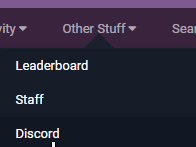
Unfortunately, accounts cannot be deleted due to the nature of how they are used throughout the servers and player API. Specifically, the username itself and player ID. You could effectively delete it by changing the email address and password to something random on the Account Page. This would prevent the username from ever being used or recovered. If you have further inquiries or quarrels with this statement, please directly contact a Site Admin on here or on our Discord, which can be found under the "Other Stuff" tab of the forums, or at the bottom footer of the main website.
You are on the wrong forums. Here you go: https://lemehost.com/forum/57/classicube
Ask on their own forums. https://newbloodcommunity.boards.net/
That is a custom game mode server plugin that imitates survival. I would recommend asking the server host/owner/staff for assistance. (or wait and see if someone else has any answers for you here)
Try right click. There is no survival mode.