



HeckenFricken
Glod Menbie
-
Joined
-
Last visited
Everything posted by HeckenFricken
-
 Have you gguys ever considered making the OH SNAP less eye sore-y
 -
-
I'm attempting to turn .lvl files from a server into schematic files using classicube singleplayer, but every time i open the maps they flood. how do i avoid this happening i have linked an example because my screenshots were too big https://imgur.com/anXDVHC https://imgur.com/OX7kGez
-
PLEAsE HELP I DONT KNOW WHO TOM IS?!?!?!?!?!??! HOW AM I GOING TO TOM FOOL IF I DONT KNOW WHO TOM IS THIS IS A FLAWED SYSTEM
-
On the mobile client, you can't scroll up on the chat. I am wondering if this will be fixed soon.
-
Very sad. 0/10. Just play ROBLOX.
-
Can you change your username? Asking for a friend.
-
why...did you do it that way?
-
yes it did
-
Thank you very much!
-
I keep trying to open it and it says This File type is not supported

-
No. I'm getting a file called ClassiCube, with no file extensions.

-
I am new to linux, and I've just downloaded the classicube file, and am unsure what to do next
-
alright, thanks 😄
-
true. ill think of something
-
The mobile controls are really awkward, are they ever gonna get updated?
-
oki ill delete it
-
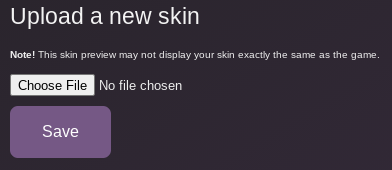
You download the skin file, and click the choose file button
-
-
the same way as always 😛
-
you can still make and use your own
-
yes there is hes lying to you
-
OK, this is pretty cool. But I have a couple of questions. Will there ever be an option to add your own skins? Also, will you ever add the option to preview the skins on the ''Set All'' option, because some of the skins, such as ''Glowing Fantasy'' don't really explain what the skins are. Also, a little nitpick, but why is the Hulk skin called ''Hulk Smash''. As for asking to add MORE skins, maybe add some dreamsmp characters 🙂
-
-
How do i increase the amount of time a certain rank can undo







