Jump to content
View in the app

A better way to browse. Learn more.

ClassiCube Forum

A full-screen app on your home screen with push notifications, badges and more.

To install this app on iOS and iPadOS
  1. Tap the Share icon in Safari
  2. Scroll the menu and tap Add to Home Screen.
  3. Tap Add in the top-right corner.
To install this app on Android
  1. Tap the 3-dot menu (⋮) in the top-right corner of the browser.
  2. Tap Add to Home screen or Install app.
  3. Confirm by tapping Install.

aaronz

Member
  • Joined

  • Last visited

  1. aaronz changed their profile photo
  2. aaronz replied to a post in a topic in I Need Help!
    your life can't be this boring to the point you want the worst points ever
  3. howdy, i hope you enjoy your time on classicube!
  4. splendid, very nice.
  5. aaronz replied to Paint's topic in General Tomfoolery
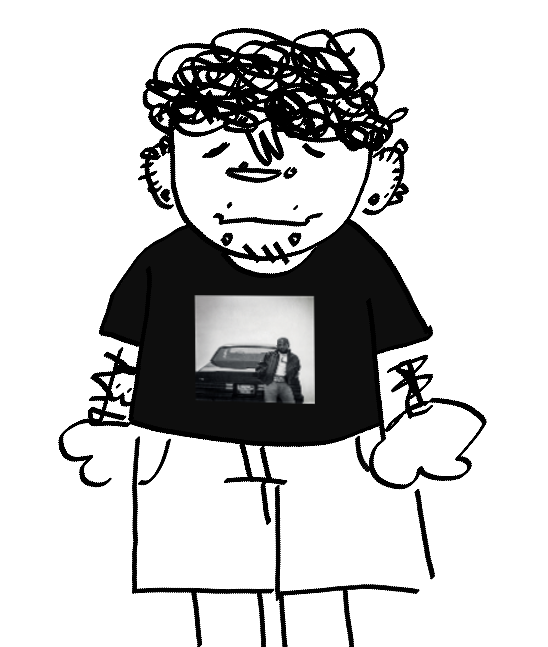
    this is very nice, i hope to see more art from you! i have to contribute this little doodle of one of my original characters. 😄
  6. my all time favorite band is queen and im currently obsessed with listening to rap songs
  7. ahoy, the next name is going to be "Sylvester"
  8. oh alright, i thought it was for the blocks in general, my bad
  9. i think ya gotta make a texture pack for custom blocks
  10. pip pip
  11. oh i see the single player doesnt have like any texture packs, it just has the basic blocks
  12. when you join servers and they have a texture pack you have to click that you accept the texture pack for it to load in
  13. koy started following aaronz

Configure browser push notifications

Chrome (Android)
  1. Tap the lock icon next to the address bar.
  2. Tap Permissions → Notifications.
  3. Adjust your preference.
Chrome (Desktop)
  1. Click the padlock icon in the address bar.
  2. Select Site settings.
  3. Find Notifications and adjust your preference.