
Goodly
Moderator
-
Joined
-
Last visited
-
 First, make sure you're using Enhanced mode. Classic mode cannot display coordinates. Your coordinates should appear on the top left of the screen by default in enhanced mode. You can turn them on or off by pressing F3. If you have trouble pressing F3 on your keyboard, you can also change which key it uses in the "Other" page of the controls menu.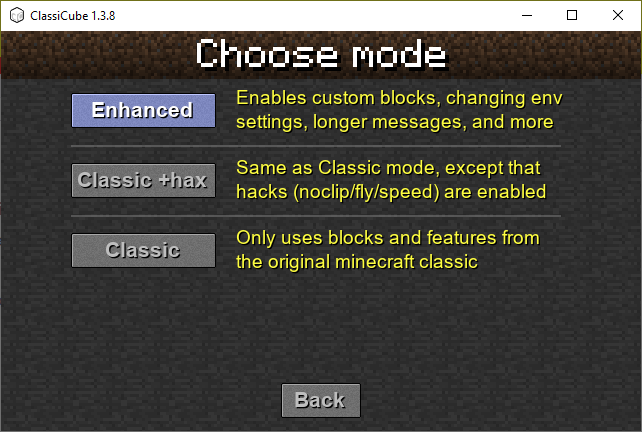
-
Looks like you can't have your own server unfortunately. There are many existing servers you can join that allow you to create and customize your own private worlds, though
-
You can use https://lemehost.com/hosting/180/classicubemgc
-
-
-
When you use a texture pack with a taller texture file, it will automatically increase the amount of texture ids. Please read my previous comment explaining the difference between texture and block IDs.
-
Remember that texture IDs and Block IDs are different things. Inf ID MCGalaxy allows you to add more than 255 blocks (up to 767) per map, so even if it worked you won't notice a difference unless you try to add a block using /lb add (in which case it should create the block at ID 767 with Inf ID, or ID 254 with default) By default you'll see 256 texture IDs and MCGalaxy versions will not change that. To get more texture IDs (512 total), you can double the height of the terrain.png in the texture pack.
-
-
-
-
Always make sure to give as much info as you can when asking for help! What was the error? Do you have screenshots of what happens when you try to log in? Can you paste the logs from the server? Otherwise we don't have a way of knowing what went wrong and it'll take longer for you to get a solution (as you're seeing now)
-
Issue has been resolved: block 68 was a LevelBlock (/lb) whereas block 67 was a GlobalBlock (/gb). Using /gb to remove 68 didn't work since only /lb could target it in that level
-
Are you absolutely sure you deleted 68? Is you server public so I can join to inspect the issue? If not, can you send me the files that are in the blockdefs folder and blockprops folder?
-
It looks like you may have mistyped the ID when toggling it as a message block. If a block isn't appearing in the menu make sure to reset its order by setting its order to its ID
-