


.jpg.3cb1b319c1cf889f969f3590b597cb67.jpg)

KawaiiCube
Glodden Godd
-
Joined
-
Last visited
Everything posted by KawaiiCube
-

-
-
-
8008135
-
dont fatshame grusha like that
-
no thank you!
-
-
-
-
-
-
Imagine you are driving to the beach with AndrewPH 😍 then he pulls over into the sand, but he doesn't stop driving. When the car is submerged, he opens the door and the last words you hear before you drown are "you've been unbanned from the forums." 😍😍💕 So romantic
-
game_homing
-
-
you sound mad
-
you're* proving*
-
-
no its not?
-
no?
thats not jack black
wtf
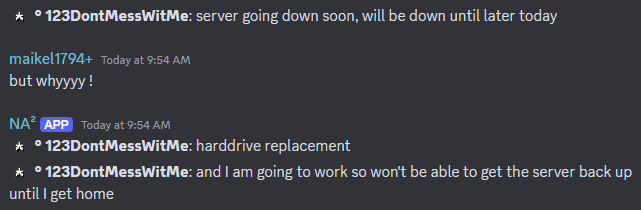
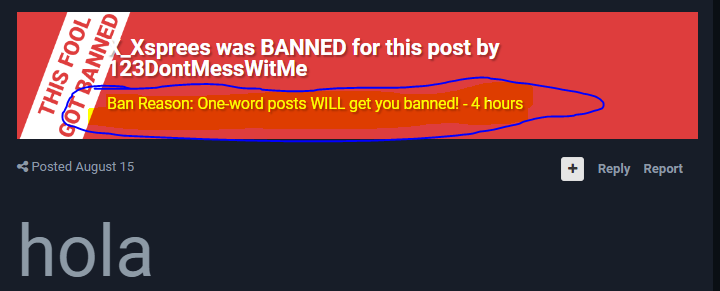
LOOK!!!!!!!!!!!!!!!!!!!!!!!!!!!!!!!!!!!!!!!!!!!!!!!!!!!!!!!!!!!!!!!!!!!!!!!!!!!!!!!!!!!!!!!!!!!!!!!!!!!!!!!!!!!!!!!!!!!!!!!!!!!!!!!!!! read and understand








Account
Search
Configure browser push notifications
Chrome (Android)
- Tap the lock icon next to the address bar.
- Tap Permissions → Notifications.
- Adjust your preference.
Chrome (Desktop)
- Click the padlock icon in the address bar.
- Select Site settings.
- Find Notifications and adjust your preference.
Safari (iOS 16.4+)
- Ensure the site is installed via Add to Home Screen.
- Open Settings App → Notifications.
- Find your app name and adjust your preference.
Safari (macOS)
- Go to Safari → Preferences.
- Click the Websites tab.
- Select Notifications in the sidebar.
- Find this website and adjust your preference.
Edge (Android)
- Tap the lock icon next to the address bar.
- Tap Permissions.
- Find Notifications and adjust your preference.
Edge (Desktop)
- Click the padlock icon in the address bar.
- Click Permissions for this site.
- Find Notifications and adjust your preference.
Firefox (Android)
- Go to Settings → Site permissions.
- Tap Notifications.
- Find this site in the list and adjust your preference.
Firefox (Desktop)
- Open Firefox Settings.
- Search for Notifications.
- Find this site in the list and adjust your preference.