RainZhang
Member
-
Joined
-
Last visited
Everything posted by RainZhang
-
 Answering your first question, it didn't say anything except for Plugin compiled successfully from GoodlyEffects.cs (console) used /Compile plugin GoodlyEffects. As for your second question, I tried that. It said error CS2005: Missing file specification for `/r:' option. Input for reference: mcs -target:library -r:MCGalaxy_.dll -target:library -r: _extralevelprops.dll -out:plugins/GoodlyEffects.dll plugins/GoodlyEffects.cs. Edit: I also ran this with the same effect. mcs -target:library -r:MCGalaxy_.dll -r: _extralevelprops.dll -out:plugins/GoodlyEffects.dll plugins/GoodlyEffects.cs.
 -
I'm making a server for testing purposes, and I want to use the GoodlyEffects plugin. (See https://github.com/ClassiCube/MCGalaxy-Plugins/blob/master/documentation/GoodlyEffects.md) When I use /pcompile GoodlyEffects (In MCGalaxy) though, the .dll file doesn't appear. So I use mcs -target:library -r:MCGalaxy_.dll -out:plugins/GoodlyEffects.dll plugins/GoodlyEffects.cs. (Ubuntu 24.04) And then this error appears: plugins/GoodlyEffects.cs(19,7): error CS0246: The type or namespace name `ExtraLevelProps' could not be found. Are you missing an assembly reference? The ExtraLevelProps dll is there. Is this problem fixable and can you tell me how to fix it? Thanks in advance.
-
These are not necessary as custom blocks can be made for a server (Global Blocks). You can also make Level Blocks, which are custom blocks for a certain map.
-
Yeah, me too. I was wondering about that. Maybe he's pretending he sees Herobrine? Maybe it's the tree.
-
7/10. It's a little sparse, and the fog should be a little foggier. Maybe add decor? Plus on the right the terrain looks unnatural.
-
Then why did you make it? And English please.
-
Can you quote me in what I originally said, instead of translating it? Thanks.
-
I'm pretty sure you're not supposed to promote yourself. Is this event so important that you can't just tell others in NA2?
-
Well, I'm starting to get suspicious as you have NONE of your needed data to verify you.
-
You can run it on Arch-based distros: 1: Download the Debian package from the website 2: Unpack it 3: Go into it and run it with ./ClassiCube Put this in your ~/.bashrc file for easy access: alias classicube='cd /path/to/ClassiCube && ./ClassiCube' Then do source ~/.bashrc Voila! Enter classicube in the terminal and you start up classicube!
-
I like Ubuntu Cinnamon, Debian XFCE, and Arch with XFCE.
-
I agree. There should be a more user-friendly alternative to CEF for the less technical players.
-
You can create a spinning model and set the bot to that model using /model bot [model name]. Hope this helps!
-
Yeah, that's nice I guess.
-
You can use eddynetweb.
-
Oh, I did not know that.
-
Classicube is awesome! Would definitely pick it over Minecraft 100%!
-
Actually I'm on a school Chromebook too. Just reinstall the OS.
-
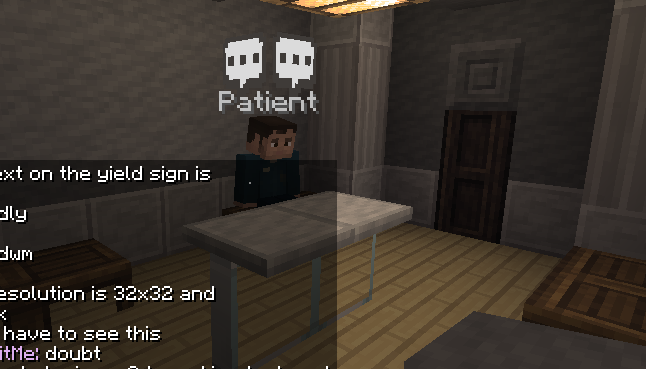
I found him in main and phobia.
-
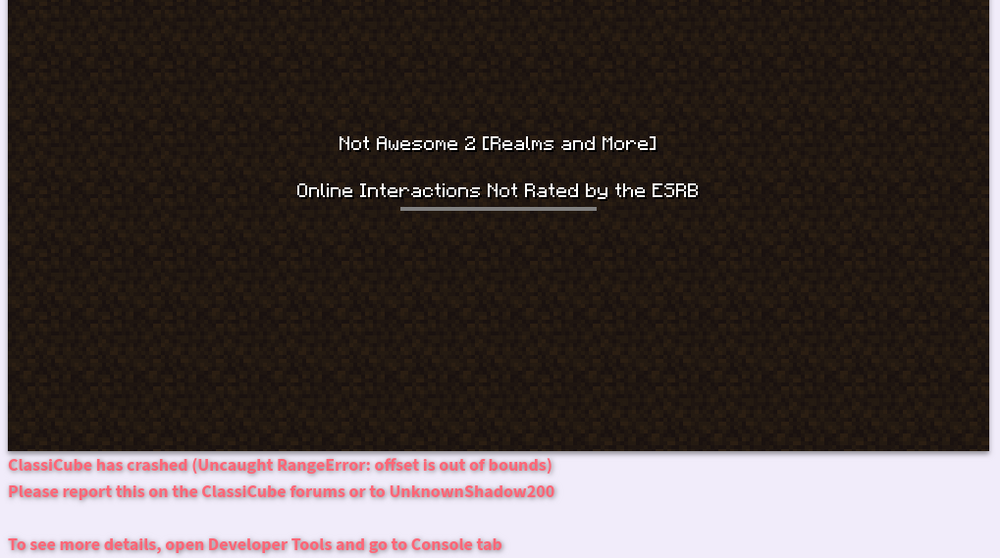
This happens whenever I try to join Novacity on Not Awesome 2.
-
Please explain, why does a weird picture that looks like the Arthur guy look funny? Just asking.
-
I think in the web version the servers should be listed by current players/uptime. Then you can change the order.
-
You can also add fog to your image by pressing 'f' in-game.
-
I think eddynetweb should work, though I haven't had any success. I tried, but the email verification link took quite a long time and it said to contact Eddy on discord because there was an issue and now I can't login again. 😞
-
Well, seems like he deserves what's coming.