



ahmetd224
Member
-
Joined
-
Last visited
-
 ahmetd224 changed their profile photo
 -
thanks I will. I hope it wokrs
-
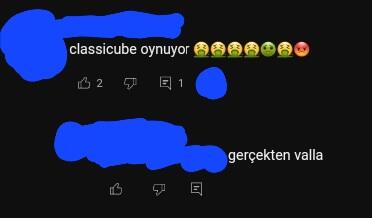
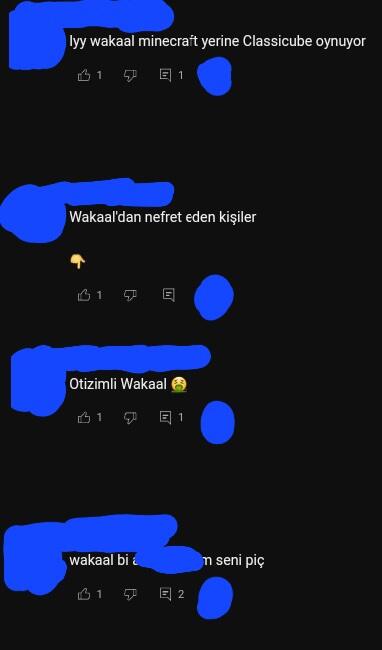
hi, I just checked on of my school friend's youtube channel (in private mode, ofc) and in one of his vids my other school friends are hating on me in the comment section and telling him that I play classicube. one of them even said "otizimli wakaal" to me, saying that I have autism Also I censored the pfps and the channel names/handles cuz I don't feel showing them on public, and also I screenshotted them in a browser
-
I wanna quit classicube by deleting my account because I can't take this anymore. I got cyberbullied at summer school for playing classicube instead of real minecraft, and I don't know how to defend myself. Everyone in the school now calls me a "stupid player" just because for playing a minecraft clone. Once I get my account deleted, I will purchase minecraft (or atleast play cracked) and never play classicubeagain. I dont care if my account gets banned. This will be my last topic, and i might think about deleting classicube from my web browser history. I'm never coming back.
-
well thx but i know about this lol
-
How to fix ClassiCube not working on Winlator? so I have a problem about winlator, and when I click "singleplayer" it opens the window however it immediately crashes (not just the game but the whole app). idk why, are there any ways I could fix this? cuz I don't have a computer :P