

TG20
Glod Menbie
-
Joined
-
Last visited
Everything posted by TG20
-
 thanks
 -
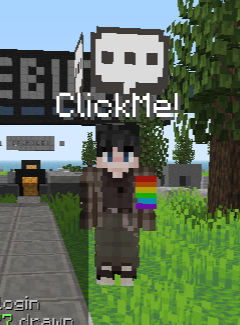
The title might sound weird and you may think there is an obvious answer, but I don't mean with /skin bot [botname] [skin] I mean like show the player's skin client-side, like the "Click Me" bot in the main lobby. (See attached image) I was just wanting to experiment and wanted to try it out but couldn't find anything in /help. Is there a way to do this at "member" rank? Or at all?
-
I was able to fix it. I logged out of cc, cleared my cookies, disconnected from my network and reconnected. If you are on a new network, that might be the issue but not all the time as I first logged in on my current device at school and it started happening at home, so I re-did the verification code and it's fixed. This isn't a 100% guarantee fix but it works.
-
I use Google Chrome and it usually works. I did get it to work though, just forgot to update the post saying that it does 😅
-
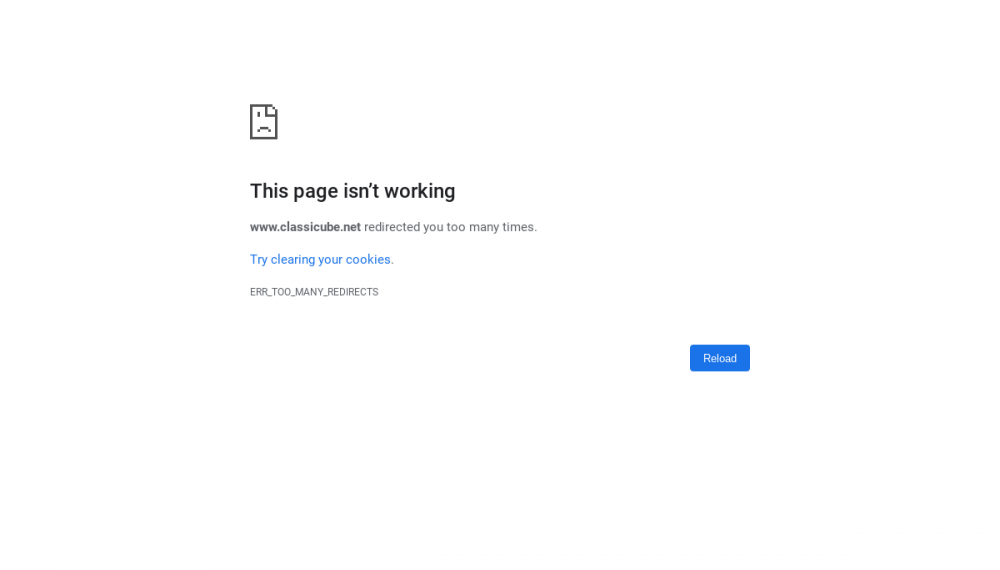
So, I decided to play Not Awesome 2 because I haven't been online in a while, but when I entered the exact url to connect, I get a message saying the following; "This page isn’t working www.classicube.net redirected you too many times. ERR_TOO_MANY_REDIRECTS" I tried a different server, that being Jacob_'s capture the flag. But well and behold, I got the same message. I cleared my cookies as it recommended. And nothing changed. Can someone help me please? Update: I got it to work, I cleared all my cookies again and also cleared my cache. We're good now 🙂
-
-
Hi, I've been playing Classicube since July 2020 and I have always noticed one thing, the lack of support for controllers on any platform. The only way to play with a controller is by downloading an app for windows called Joy2Key, and it was a hassle to set up and figure out what buttons are what and map them. I was able to get it to work, but it seems like a big issue, especially since I'm also trying to play on my Xbox with a controller on the web client. I really hope controller support gets added to Classicube in the near future, without the need for Joy2Jey. I know it seems unrealistic, but it's at least worth pointing out :) Thanks for reading, - TG20
-
Thank you for telling me this, I was also wondering the same thing but decided to leave it be.
-
Nice!