
Jump to content
View in the app

A better way to browse. Learn more.

ClassiCube Forum

A full-screen app on your home screen with push notifications, badges and more.

To install this app on iOS and iPadOS
  1. Tap the Share icon in Safari
  2. Scroll the menu and tap Add to Home Screen.
  3. Tap Add in the top-right corner.
To install this app on Android
  1. Tap the 3-dot menu (⋮) in the top-right corner of the browser.
  2. Tap Add to Home screen or Install app.
  3. Confirm by tapping Install.

Edward_great

Member
  • Joined

  • Last visited

Everything posted by Edward_great

  1. thanks i hope i dont get banned XD
  2. ik but WHERE DO YOU READ these wonderful rules?
  3. why did you try to ban me i didnt know that you cant type only one word.
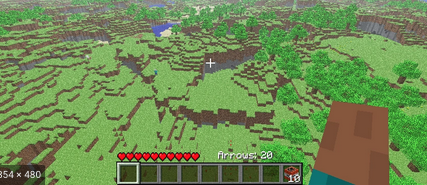
  4. is this a newer picture? Is there a server about it? Wait should i delete this because i asked for survival? how do you delete a forum that you post?
  5. I cant belive people like making up stories about how you can play minecraft survival test on classicube
  6. i saw people say you can play minecraft survival test on classicube. But they didnt say how.
  7. how do you play it do you have to download it?
Configure browser push notifications

Chrome (Android)
  1. Tap the lock icon next to the address bar.
  2. Tap Permissions → Notifications.
  3. Adjust your preference.
Chrome (Desktop)
  1. Click the padlock icon in the address bar.
  2. Select Site settings.
  3. Find Notifications and adjust your preference.