so i think this was like... last year or something when i decided to join lava survival,only to find out the owner permanently banned me with an insult instead of an actual reason,which pretty much made classicube start getting boring because of this.
to the lava surival owner: if your seing this,i wouldnt expect such a bad server owner would ban a player with an insult...
Edited by XYZ_Nobdy_XYZ forgot to upload the screenshot




so i think this was like... last year or something when i decided to join lava survival,only to find out the owner permanently banned me with an insult instead of an actual reason,which pretty much made classicube start getting boring because of this.
to the lava surival owner: if your seing this,i wouldnt expect such a bad server owner would ban a player with an insult...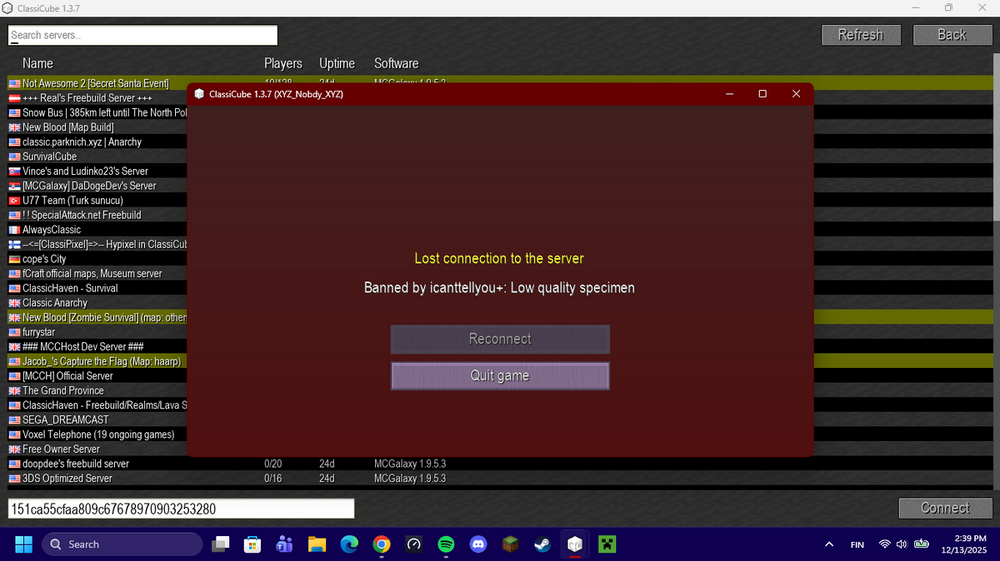
Edited by XYZ_Nobdy_XYZ
forgot to upload the screenshot