FaeEmpress
Glod Menbie
-
Joined
-
Last visited
Everything posted by FaeEmpress
-

-
Oh nvm, I found it on your github. 🙂
-
I actually got some of my ideas from your client. I just wanted to bring them over to the newer client. Do you have a download for your alpha client? I would love to try it out.
-
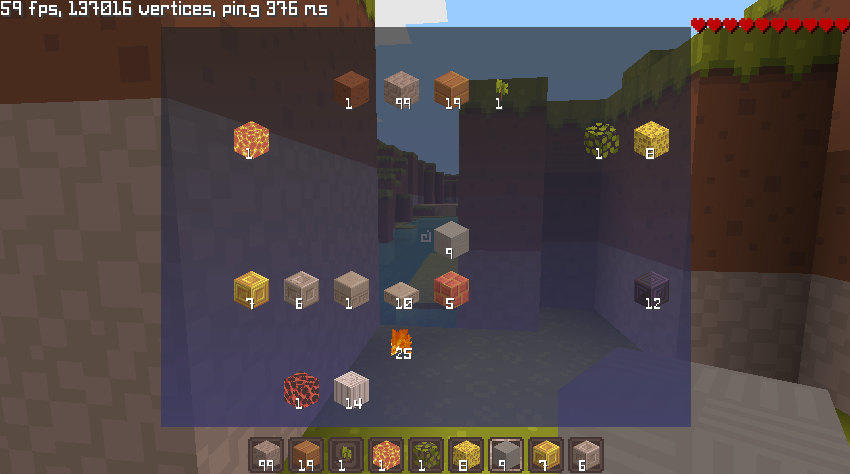
I finally added some basic inventory and crafting support; inventory is saved on the server. Mobs and health are all server side as well. Nothing really, I just love Minecraft and wanted something to work on.
-
Alright, just didn't want to annoy anyone. 🙂 So I've basically set up an entire new system, login api, servers, etc for my fork because I plan on developing things beyond what ClassiCube is. It's still a major work in progress. You can find my project at https://classicraft.ca.gy Clients exist for Windows, Web, and Android.
-
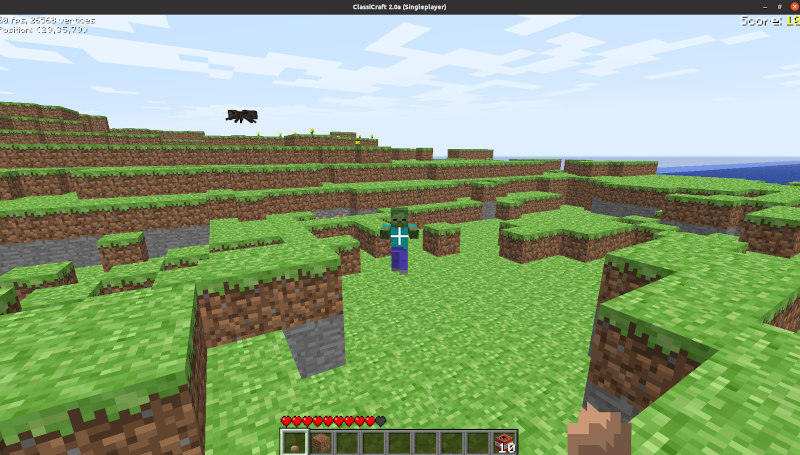
Hey guys, I forked ClassicalSharp and added survival mode. Thus ClassiCraft has been born. So far survival is only available on PC, but I'm hoping to get it working on Android and Web as well. I'm not going to spam my site or servers, so if you're really interested in it, contact me. (Screenshot attached)