gamer5932033
Member
-
Joined
-
Last visited
-
 gamer5932033 changed their profile photo
 -
-
Thanks for letting me know! I'm also trying to host a classicube server rn and i did set up some things now. I like you! Thanks for answering :)
-
I've been asking this question for so long.. How do i host a classicube server without port forwarding? Are there any free hosts for classicube servers?? :(
-
-
Hey guys, i have a small request i want to add in the next update of classicube. I would suggest adding properties for blockedit. The properties i request is: Ability to change a block's fog color using HEX color code. Example, i'm adding a portal block to my map and i want it so when inside the block, The fog should be purple. So i have to type in /blockedit 66 fogcolor c54efc And then the fog will be purple. Another request is the abiliy to change the light level a block emits (With fancy graphics.) For example, I'm adding a glowstone block to my map using blockedit. And i want it to emit light like the glowstone block does in normal minecraft. So i have to type in /blockedit 67 lightemission 15 Then the block will emit light when fancy graphics is on. To the developers of classicube: I'm not forcing you developers to add those features/properties in blockedit. I know it takes a while to make updates, But i'm just suggesting. Not forcing to add those properties. Also, Fog color can be changed using NBTExplorer, but i mean i want it to be a property in blockedit. so that you don't have to install NBTExplorer to just change the color of fog in a custom block. Alright enough yapping, That's all the requests i want to talk about.
-
-
-
-
-
-
-
GEOMETRY DASH TEXTURE PACK Okay I'm going to install this THIS IS AMAZING Yeah i play geometry dash too
-
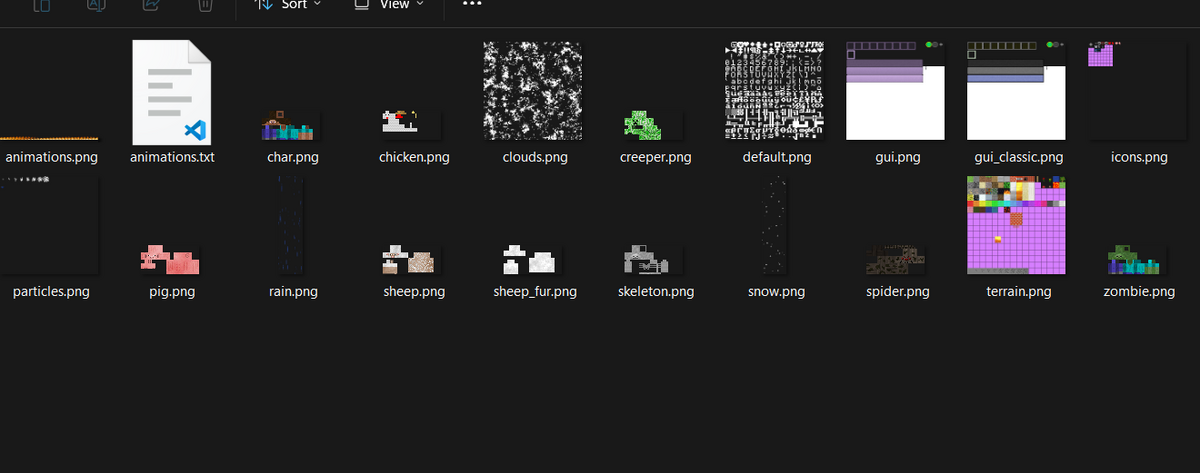
Hi, i'm currently updating my texture pack in classicube (the one that has more block textures) and i did made some updates but i wanted to make custom block texture animations, so how do i do that? i will temporarily make some placeholder textures. Also here's the updated texture pack. so that you maybe can do it for me :) extratextures.zip Yeah i don't really understand how to make custom block animations..
-
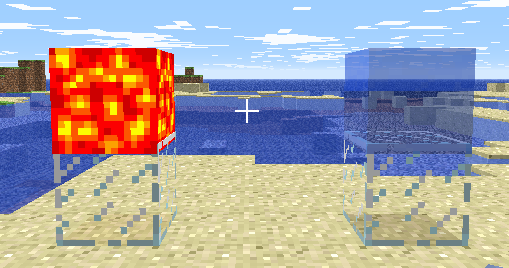
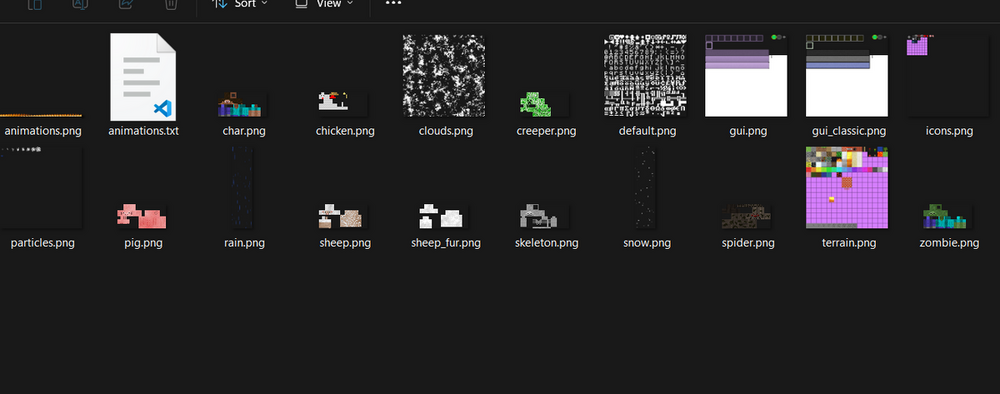
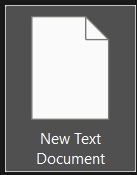
Hey there, ever made a texture pack, but your water and lava textures looked static and un-animated? Well, there's a solution to fixing it. First make a new file inside your texture pack. Directory to texture packs folder My example pack name is "example pack hahaha" Then, temporarialy extract the .zip file to add the new files. Now once done exracting, It should look like the image provided. And then make a new file. You can temporarialy set it to a .png or something like that. but once making it. Remove the .png from the end of the file's name. Now it should look like this. Once done, Rename the file to "uselavaanim". Then, once done, put the file inside your original zip file. And the lava block will be animated! And you can also make another file named "usewateranim" to animate the water block too. Now, i might make another tutorial for making custom block animations for other blocks, but i don't know or understand that yet.


-
How do i make custom block models using the blockedit feature? I know the /blockedit property, min & max but it overall just changes the size of the block. not the entire model. How do i do that? If you don't know blockedit by the way, its like making custom blocks using MCGalaxy, but on singleplayer, and yes it does exist. Blockedit was literally what i wanted, i literally wanted new blocks for classicube forever now i need custom block models