



catproto
Member
-
Joined
-
Last visited
-
 catproto changed their profile photo
 -
be patient, it took me a month for a reply. eddy is a busy person
-
this can be resolved if you have these 2 thingies called eyes
-
internet archive:
-
found a fix, get the update KB3004394 from microsoft https://www.microsoft.com/en-us/download/details.aspx?id=45633
-
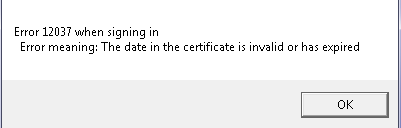
I do have internet explorer 11, both TLS 1.1 and 1.2 on, and my time is synchronized to the internet time. any thoughts on how to fix?
-
got it, thank you for helping!
-
how do i add more colors to the /colors command
-
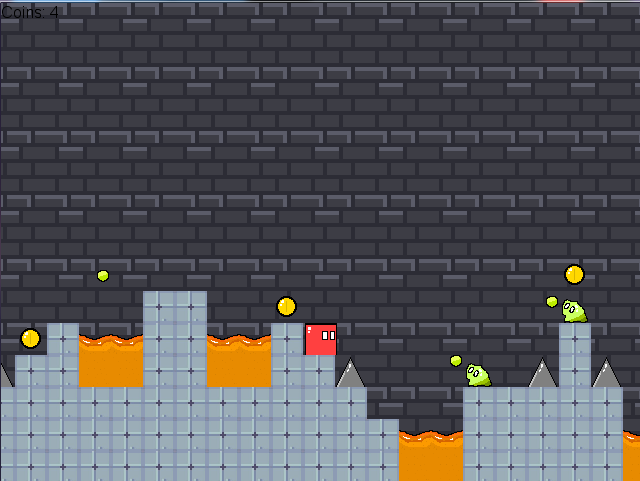
it is a 2d pixelart platformer game for a gamejam that will end in about 24 days
-
not sure if this is the right place to send it in but felt like I wanna show some screenshots
-
happy pride month everyone
-
simple, /mb [block you want the portal to be] /goto [map name] if you want a portal that tps you to another location in the same map, then just do /portal [block you want the portal to be] then add an entry block and an exit block entry blocks is the block u have to click that tps you to the other location, which is the exit block also you can make them air blocks if you want, so instead of people clicking the block to get tped by the portals or the mb blocks, they can just collide with the air block to get tped
-
what reason even got you banned in na2
-
is it possible to self-host your own servers with playit.gg i don't think my router supports port forwarding



