



Rainb0wSkeppy
Glod Menbie
-
Joined
-
Last visited
Everything posted by Rainb0wSkeppy
-
 an isometric screenshot like in indev would require taking a lot of screenshots of parts of a map then putting them together to make a large image i looked at the cc source code and found that the only way to read pixels from the screen that isn't backend specific is to call cc_result Gfx_TakeScreenshot(struct Stream* output); which isn't declared with CC_API so it shouldn't be used by plugins (it could be changed or removed and break any plugins that use it) and outputs a png i tried to call glReadPixels but i couldn't get it to work also to actually render the map you will need to call void MapRenderer_RenderNormal(float delta); void MapRenderer_RenderTranslucent(float delta); which also aren't CC_API you could render the map on the cpu but it would be very slow
 -
try removing the :443
-
yes but you can use the defaults, they don't require creating any custom blocks
-
a few weeks ago i made a plugin that generates the nether and one for the end you can get the nether plugin here and the end plugin here
-
WARNING: the app's dev didint sign the exe with a certificate that you need to pay microsoft 1000000000$ to get
-
wiki.vg was shut down, what will happen with cpe? will there be any more extensions? how would someone make a proposal for a cpe extension? (the mc classic protocol and cpe are still accessible on archive.org)
-
the shape of a block must be a single cuboid in mcgalaxy: /[lb command] edit [block id] min [min coords] /[lb command] edit [block id] max [max coords] the command is /os lb if you're editing the blocks in your level, /lb if you're editing the blocks in the level but it's not yours or /gb if you're editing blocks for the whole server in singleplayer (in recent versions of cc): /blockedit [block id] min [min coords] /blockedit [block id] max [max coords] the min and max coords are 3 numbers from 0 to 16 for example to make a torch (assuming you set the textures correctly): /[lb command] edit [block id] min 7 0 7 /[lb command] edit [block id] max 9 10 9 to make a slab: /[lb command] edit [block id] min 0 0 0 /[lb command] edit [block id] max 16 8 16
-
/physics 3 (please dont ban me for 1 word post)
-
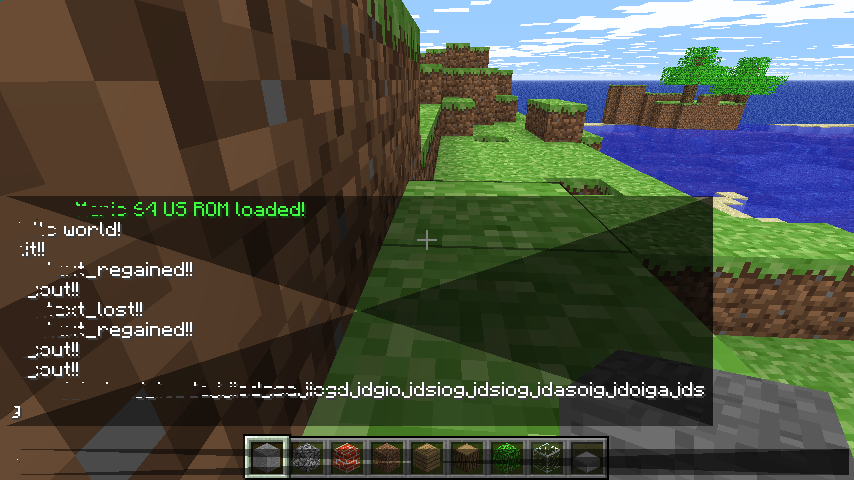
the problem was that i needed 4 vertices also i managed to get this
-
im trying to draw something but its not working i checked that these functions are getting called void myscreen_render(void* elem, float delta) { struct f3_screen* s = elem; Gfx_SetVertexFormat(VERTEX_FORMAT_COLOURED); Gfx_BindDynamicVb(s -> vb); Gfx_DrawVb_IndexedTris(3); } void myscreen_build_mesh(void* elem) { struct f3_screen* s = elem; struct VertexColoured vb[3]; vb[0].x = 0.0f; vb[0].y = 0.0f; vb[0].z = 1.0f; vb[1].x = 1.0f; vb[1].y = 0.0f; vb[1].z = 1.0f; vb[2].x = 0.0f; vb[2].y = 1.0f; vb[2].z = 1.0f; vb[0].Col = PackedCol_Make(255, 0, 0, 255); vb[1].Col = PackedCol_Make(0, 255, 0, 255); vb[2].Col = PackedCol_Make(0, 0, 255, 255); Gfx_SetVertexFormat(VERTEX_FORMAT_COLOURED); Gfx_SetDynamicVbData(s -> vb, vb, 3); } void myscreen_on_context_lost(void* elem) { struct f3_screen* s = elem; Gfx_DeleteDynamicVb(&s -> vb); } void myscreen_on_context_recreated(void* elem) { struct f3_screen* s = elem; s -> vb = Gfx_CreateDynamicVb(VERTEX_FORMAT_COLOURED, 3); s -> maxVertices = 3; }
-
use betacraft
-
yes but idk why
-
help i cant join the classicube discord server

-
hp laptop 15-da1xxx processor: intel(r) core(tm) i5-8265u cpu @ 1.60ghz (8 cpus), ~1.8ghz ram: 8gb graphics card: intel(r) uhd graphics 620 ssd: some 256gb ssd monitor: built in display 1920x1080
-
SB IS LYING 👖🔥






