



yeti0904
Member
-
Joined
-
Last visited
Everything posted by yeti0904
-
 > downloading GPUs > (downloading) extra storage i will cry
 -
chromie server #103
-
what timezone nerd
-
ok here https://dl.dropboxusercontent.com/s/9hgdz65yo0utkhf/rockefellerLight.zip
-
-
its a shame that would get someone banned because "lol" is 1 word
-
its so dead there'll be nobody for them to roleplay with
-
for christmas i want a gt 1030
-
the english is strong with your spelling of r/engrish
-
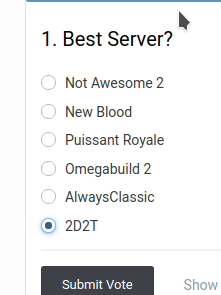
my "favirote" is my server
-
its literally built into mcgalaxy
-
na2 wont exist for all of eternity
-
1. whats the point in once 2. how would servers know if a user had any previous names 3. the also known as thing = bloat
-
you didnt set public to true
-
very confused what will this petition do if it gets signatures
-
-
-
id trust doge over you "Up-and-coming" > "Schoolkid"
-
every one except for me is a chromie
-
wtf why would you choose a chromebook over a generic computer
-
-
i have a feeling that you wrote that on a school chromebook
-
theres no point in this post because new people should be reading the forum rules
-
if they couldnt access classicube how are they: talking here managing to attempt a connection
-





