Denatidum
Member
-
Joined
-
Last visited
-
 Denatidum changed their profile photo
 -
There is a texture pack, but it's not just a texture pack, it adds much more blocks, useful for inexperienced server owners who have little to no knowledge on adding their own blocks and textures to their server.
-
But Windows CE is quite different, it is made for compact systems, like the old miniature laptops. Windows 9x is made for computers
-
How is ClassiCube going to work for an OS for outdated technology
-
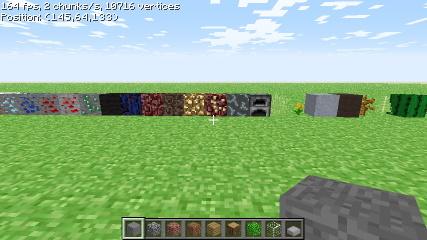
Denatian Extension 1.0.0 Before The Adventure! Denatian Extension currently (as of 1.0.0) has 297 blocks (including all possible block directions). As the name suggests, it adds more blocks to the base game. A snippet of some of the blocks in the pack. Known Bugs: In Singleplayer, obsidian panels (266-267) spread lava, while obsidian panels (264-265) spread water. However, with the MCGalaxy server client, those bugs should be non-existent, so no lava and water spread from obsidian panels in most servers. What to expect in 1.1.0: Directional ropes Vines Melon Cobweb Nether bricks (block, slab, pole, panel) More stone bricks Deepslate ores Iron and golden bars (+ singular bars) Mushroom island blocks (Mycelium, mushroom Stem, red mushroom block, brown mushroom block) Quartz block Glass pane Wooden and iron doors Downloads/Links: World: https://www.dropbox.com/s/tk4vdj1ey4uml4h/Denatian Extension.cw Texture Pack: https://www.dropbox.com/s/cgzgz7xn6g96oug/Denatia.zip