



Kelpermoon
Member
-
Joined
-
Last visited
Everything posted by Kelpermoon
-
 Im looking for some people to play with
 -
You crazy son of a gun, it worked and I connected successfully
-
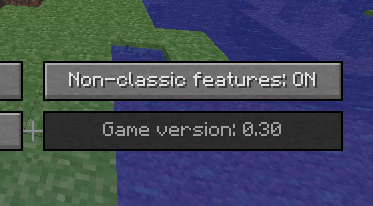
Nice idea, but unfortunately... I will probably try updating (after its thoroughly backed up) but if theres a way to change the game version im all ears... tysm btw
-
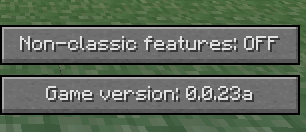
I wanted to check up on the place but I cant seem to connect using the classicube client, its version 0.0.23a_1 which as far as I know is one of the later classic versions, I keep getting a wrong version error and was wondering if I could get a hand! Why here? I apologize in advance for such a technical topic as im aware that most of you are likely not very technical but I really dont think this is an issue or bug with classcube but rather my own thick skull The deets Java I'm using openlogics openjdk 8 for this, I have never had an issue with any of the open JDK java versions but im aware this could be a potential cause, I have this setup to override all other java versions on my pc Server + Client version 0.0.23a_1, I was unable to find the classicube protocol version, perhaps ill check the log for details on that Any help or suggestions/questions are welcome, and mods, if your reading this, I'm sorry if this breaks the rules, if it makes a difference I truly didnt think I was breaking the rules (WHICH IVE READ)! LMAO Below is a test on a new world to make sure this isnt a simple case of file corruption
.png.83641838640c27ba6d2c8c433f9c493f.png)

