
Luigi
Glodden Godd
-
Joined
-
Last visited
-
 Yeah. It's weird but probably has something to do with the 1.3.2 or something, I'll leave this up for question if somebody solves it-- This femto is not even a year or two old, but apparently a newer version was released, but now all the links are down? Still managed to wrangle it cause it works good for friend stuff lmao. Thanks again
 -
IP being used is correct, still can't verify that I'm logged in, and unfortunately not the same machine but same network. My ipv4 is different than the other machine lol. Also, direct connect URL meaning classicubenet/server/play/HASH? My server also does not support browser connection as well sadly, according to classicube. Connecting from the internet and not LAN does work as said. Nothing seems to be doing the trick, as IP of host returns that I'm not verified. Thanks for the help as well those who're commenting. I've been around for a while on classicube lol
-
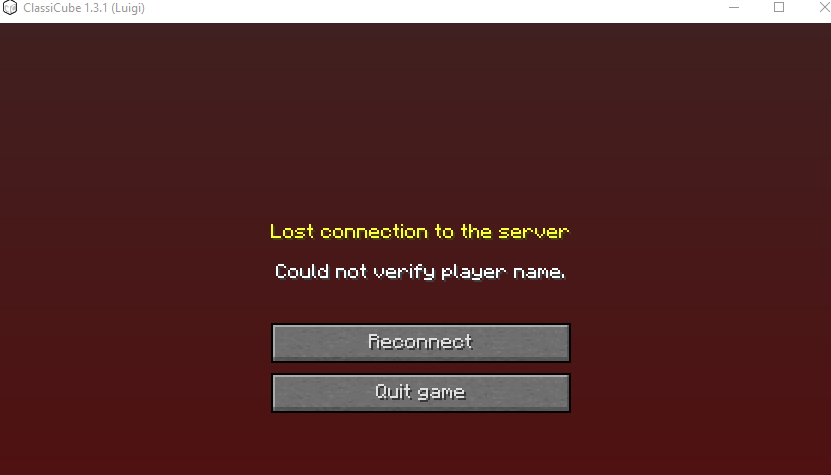
I'm running an older FemtoCraft version, at 1.3.2 or something I believe. Either way, everything is setup properly. I'm unable to connect to it using any localhost protocol. Using the LAN ip returns "Could not verify player name." Also yes, this is indeed me, the real Luigi. If I try to join through the server list, it tries to connect to the internet address using the LAN address. Not something that usually works, connecting to something that it's hosting. How do I login from the host LAN, while also verifying my account? No direct connect / web methods work. I will also not set Verify Accounts to False, since the server is whitelisted and it's not a good idea. Using VPNs or other networks that aren't LAN or the Host Address, do in fact work. (?ip=0.0.0.0 does not work. mppass does nothing, etc)