Jump to content
View in the app

A better way to browse. Learn more.

ClassiCube Forum

A full-screen app on your home screen with push notifications, badges and more.

To install this app on iOS and iPadOS
  1. Tap the Share icon in Safari
  2. Scroll the menu and tap Add to Home Screen.
  3. Tap Add in the top-right corner.
To install this app on Android
  1. Tap the 3-dot menu (⋮) in the top-right corner of the browser.
  2. Tap Add to Home screen or Install app.
  3. Confirm by tapping Install.

PurgeJackie

Member
  • Joined

  • Last visited

  1. Bruh I meant in messages
  2. Ayo, what's up, dudes. If you would like, I could make a photo of you with speedpaint, I will just need a reference photo. If you would like one, please contact me on the forum. Thank you! PEACE! -PurgeJackie
  3. Yes, this is real. Seek refuge in Africa ASAP.
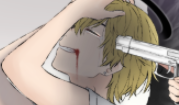
  4. Hey duders, this is my first post on the forum, and I'm attaching a random screenshot of anime me!

Configure browser push notifications

Chrome (Android)
  1. Tap the lock icon next to the address bar.
  2. Tap Permissions → Notifications.
  3. Adjust your preference.
Chrome (Desktop)
  1. Click the padlock icon in the address bar.
  2. Select Site settings.
  3. Find Notifications and adjust your preference.