Jump to content
View in the app

A better way to browse. Learn more.

ClassiCube Forum

A full-screen app on your home screen with push notifications, badges and more.

To install this app on iOS and iPadOS
  1. Tap the Share icon in Safari
  2. Scroll the menu and tap Add to Home Screen.
  3. Tap Add in the top-right corner.
To install this app on Android
  1. Tap the 3-dot menu (⋮) in the top-right corner of the browser.
  2. Tap Add to Home screen or Install app.
  3. Confirm by tapping Install.

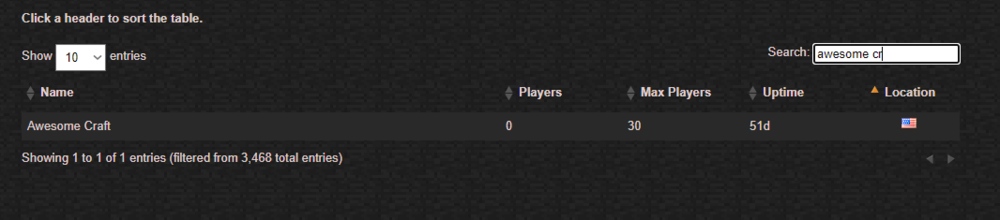
What happened to AwesomeCraft?

  • Glodden Godd

From 2012 until 2014 I was playing with my friends on a server called "AwesomeCraft", but I haven't been able to find it anywhere for quite a few years now, what happened?
Also, if any of the server admins are still around do they still have the map? I would love to see it again, especially after all the time I spent having fun with my friends at the time playing it.
image.thumb.png.10162f979b329ae0e591940208f8b2bd.png

990667_678961952137441_41940722_o.jpg

1479316_1415633185336006_323770274_o.jpg

Edited by Sherrykbll

Featured Replies

No posts to show

Archived

This topic is now archived and is closed to further replies.

Configure browser push notifications

Chrome (Android)
  1. Tap the lock icon next to the address bar.
  2. Tap Permissions → Notifications.
  3. Adjust your preference.
Chrome (Desktop)
  1. Click the padlock icon in the address bar.
  2. Select Site settings.
  3. Find Notifications and adjust your preference.