Jump to content
View in the app

A better way to browse. Learn more.

ClassiCube Forum

A full-screen app on your home screen with push notifications, badges and more.

To install this app on iOS and iPadOS
  1. Tap the Share icon in Safari
  2. Scroll the menu and tap Add to Home Screen.
  3. Tap Add in the top-right corner.
To install this app on Android
  1. Tap the 3-dot menu (⋮) in the top-right corner of the browser.
  2. Tap Add to Home screen or Install app.
  3. Confirm by tapping Install.

qwertyad

Member
  • Joined

  • Last visited

  1. qwertyad changed their profile photo
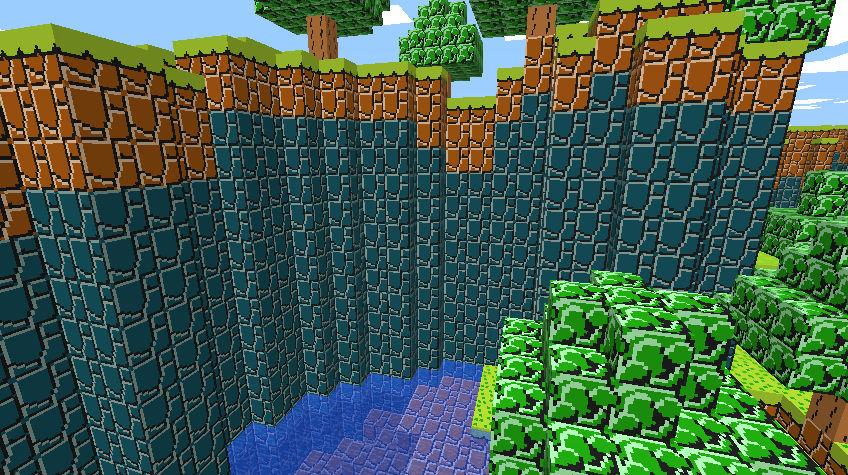
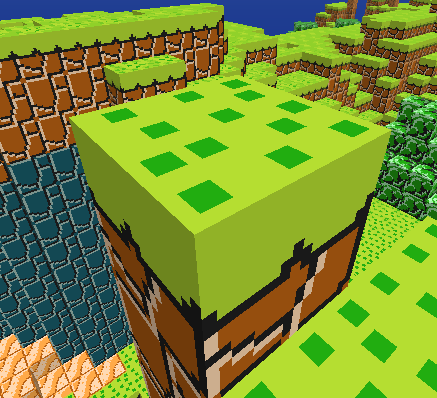
  2. We pretty much just copied some sprites from spriters resource. The top grass my brother made himself tho... mario.zip Heres a shot of the aforementioned top grass:
  3. So it turns out ALL I NEEDED TO DO was open terminal and run the command xattr on classicube >:|
  4. It detected that I was on 32 bit mac, and i get the same problem when redownloading

Configure browser push notifications

Chrome (Android)
  1. Tap the lock icon next to the address bar.
  2. Tap Permissions → Notifications.
  3. Adjust your preference.
Chrome (Desktop)
  1. Click the padlock icon in the address bar.
  2. Select Site settings.
  3. Find Notifications and adjust your preference.