Jump to content
View in the app

A better way to browse. Learn more.

ClassiCube Forum

A full-screen app on your home screen with push notifications, badges and more.

To install this app on iOS and iPadOS
  1. Tap the Share icon in Safari
  2. Scroll the menu and tap Add to Home Screen.
  3. Tap Add in the top-right corner.
To install this app on Android
  1. Tap the 3-dot menu (⋮) in the top-right corner of the browser.
  2. Tap Add to Home screen or Install app.
  3. Confirm by tapping Install.

Wuiz

Member
  • Joined

  • Last visited

About Me

ClassiCube Speedrunner and I speedrun other games, Hello ^^ ❤️ the name's Myro and please call me (from username or my nickname Angel, preferences I chose) Wuiz or NorioT/Riot/Nori/Norio/Nori0T/Angel.

I'm a very sweet, wholesome, kind, loving, pacifist, Gamer, 2D Animator/Drawer/Doodler, Speedrunner, NSFW Roleplayer, a Furry (Yes Indeed) and a Non-Binary Femboy
My other Orientations and pronouns: He/Him, Her/She, Them/They, Bisexual (more into guys).

Any other info I should add? Let me know by a DM ^^

My current skin: 1936176178_NorioTNori0TSkinMinecraft.png.174897320853721267475aa91dbb3a3a.png

My other skin: Dark_Wuiz.png.6e9a209177303127acd9a0026f81b28a.png

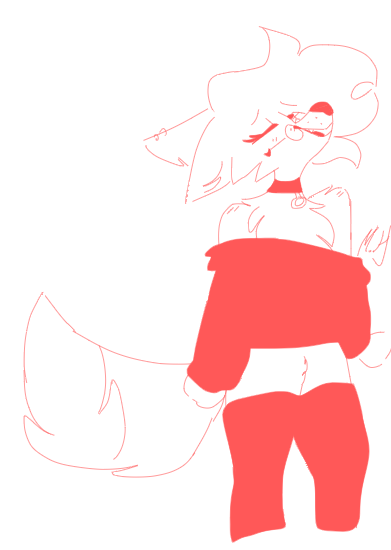
Me (My OC): Me as Furry <3

My Speedrun Profile: https://www.speedrun.com/user/Wuiz

Configure browser push notifications

Chrome (Android)
  1. Tap the lock icon next to the address bar.
  2. Tap Permissions → Notifications.
  3. Adjust your preference.
Chrome (Desktop)
  1. Click the padlock icon in the address bar.
  2. Select Site settings.
  3. Find Notifications and adjust your preference.